
Customer support features built for modern teams
8 channels in one shared inbox, AI that answers customers and drafts replies, a help center, reports and hosting in the EU. Everything on this page is live in the product today.
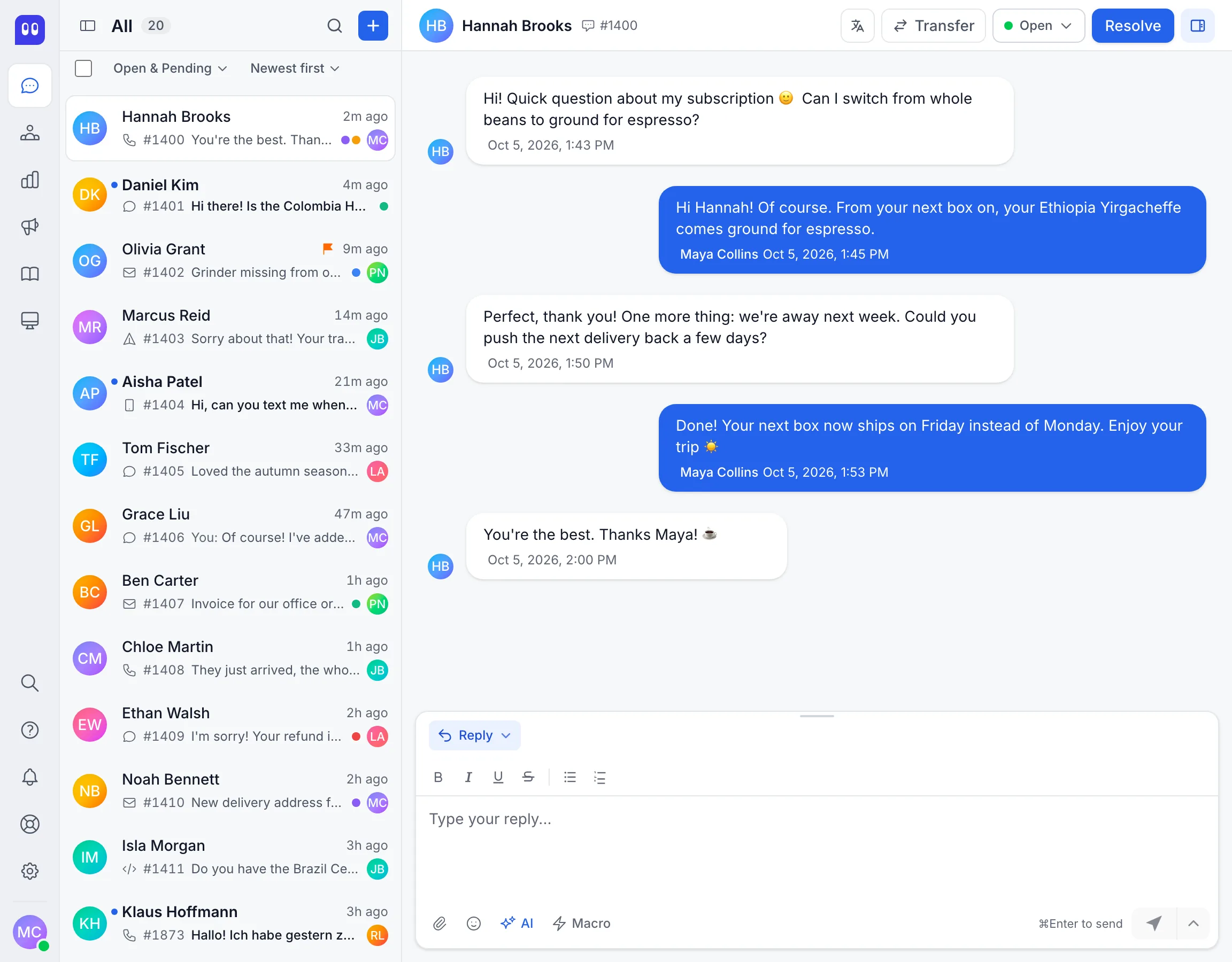
One inbox for 8 channels and your whole team
Live chat, email, WhatsApp, Telegram, LINE, SMS, X DMs and your own channels over the API arrive in one list. Assign, label, prioritize and leave private notes, so each customer gets one clear answer from the right person.

Website Live Chat
Email Support
Telegram
Link a Telegram bot to handle conversations directly in your inboxSMS via Twilio
Answer text messages sent to your Twilio phone number.LINE
Connect a LINE Official Account for messaging in Asia-Pacific marketsX
Handle direct messages from your X accountAPI Channel
Build entirely custom channels using the REST APIWhatsApp Ad Attribution
See which Meta ad started each WhatsApp conversation, on the Business and Enterprise plans. Ad ID, click ID and creative are stored per conversation, and on Enterprise you can read them over the REST API.Conversation Assignment
Route conversations to a specific agent or team manuallyTeams
Group agents by department or skill, manage members and spread a team's conversations across its members automatically.Trackers
When many customers report the same problem, like an outage or a bug, link their conversations to one tracker and update them all at once, each in their own conversation.Labels
Tag conversations with colored labels and notify the assigned agents or teams automatically, so escalations reach the right person right away.Priority Levels
Mark conversations as urgent, high, medium, or lowPrivate Notes
Leave internal comments that only your team can seeCanned Responses
Reusable reply templates your team inserts with a shortcode, with variables for the agent and contact nameBulk Operations
Select many conversations and resolve, reopen, assign, mute or delete them in one step.Saved Filters
Create custom filter views and save them for repeated useTyping Indicators
See when a customer is composing a message in real time
AI that answers customers and helps your team
Fynn answers customers on its own from the content you train it on and hands the conversation to a person when it should. Copilot drafts, improves and summarizes replies right inside the conversation. Rules, macros and SLA timers handle the routine.

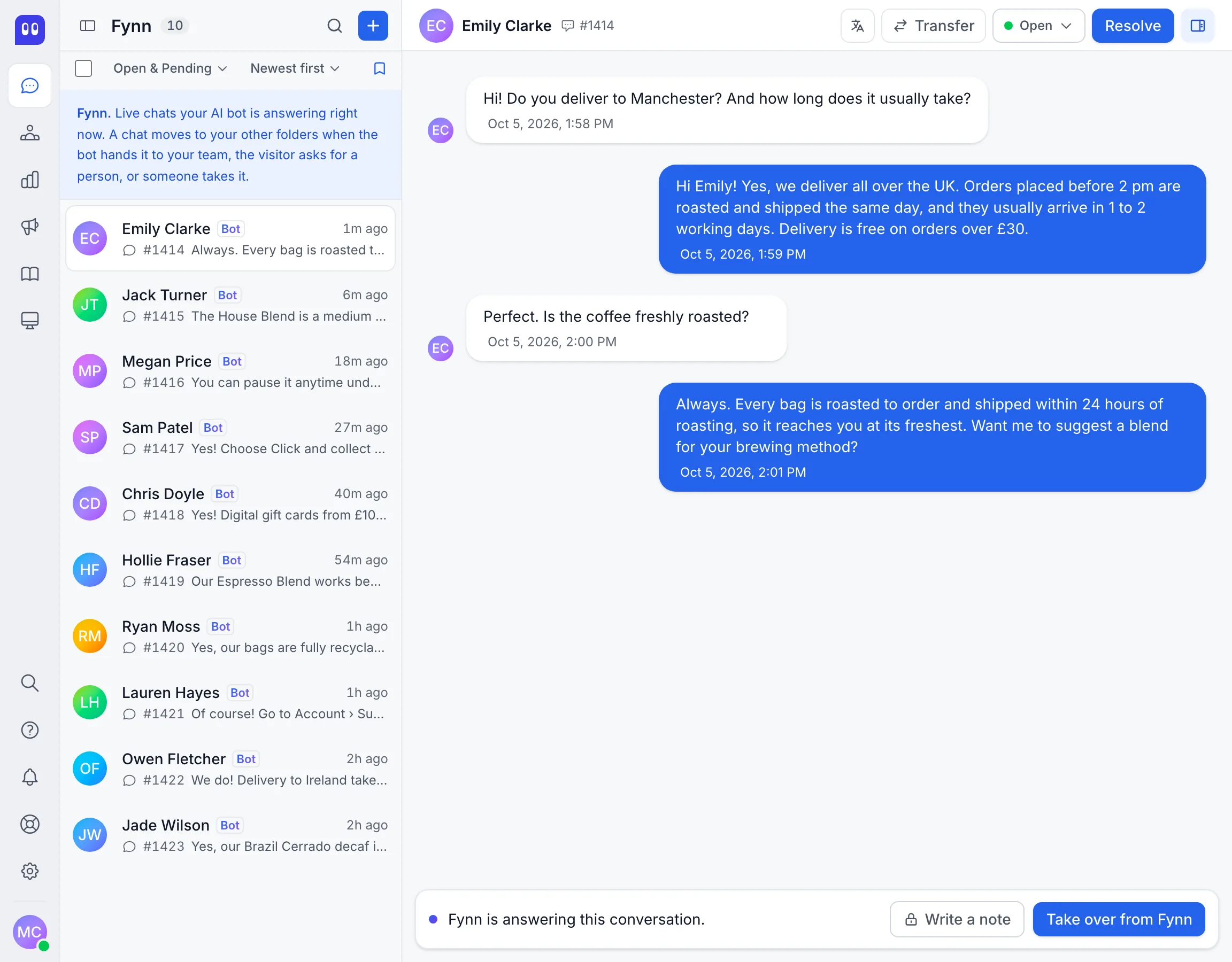
AI Bot for Every Channel
AI Copilot
AI Training Hub
Tickets, SLA and Jira
Turn a chat into a ticket for the right team, count SLA in working hours and hand bugs to Jira. On the Enterprise plan.Live Translation
Read each customer message in your own language and send replies translated into theirs. 29 languages are supported.Automation Rules
Trigger actions automatically when conversations are created or updatedMacros
Save a sequence of actions and run them all with one clickChat Triggers
Reach visitors before they leave. Send a targeted message based on time on the page, the page address or whether someone is a returning visitor, and turn a visit into a conversation.SLA Policies
Set targets for first response, next response and resolution. Each conversation shows the time left, and your team is notified when a target is missed.Business Hours
Set weekly hours and a timezone per inbox and show visitors a message outside them. SLA policies can count business hours only.Automatic Assignment
New conversations go to your agents in turn, and each agent can have a limit on open conversations.Conversation Workflows
Resolve inactive conversations automatically, with your own timing and messageBring Your Own AI Key
On paid plans, run a bot on your own Anthropic API key. Anthropic bills you directly, and those conversations do not count toward your Deskwoot AI conversations.Prompt Injection Protection
Fynn runs on a hardened prompt and flags messages that look like prompt injection. It only takes actions such as refunds after it has verified the customer and they have confirmed in writing.No Vendor AI Training
We do not train AI models on your customer conversations, contacts, or attachments. Period.
Know every customer and your support numbers
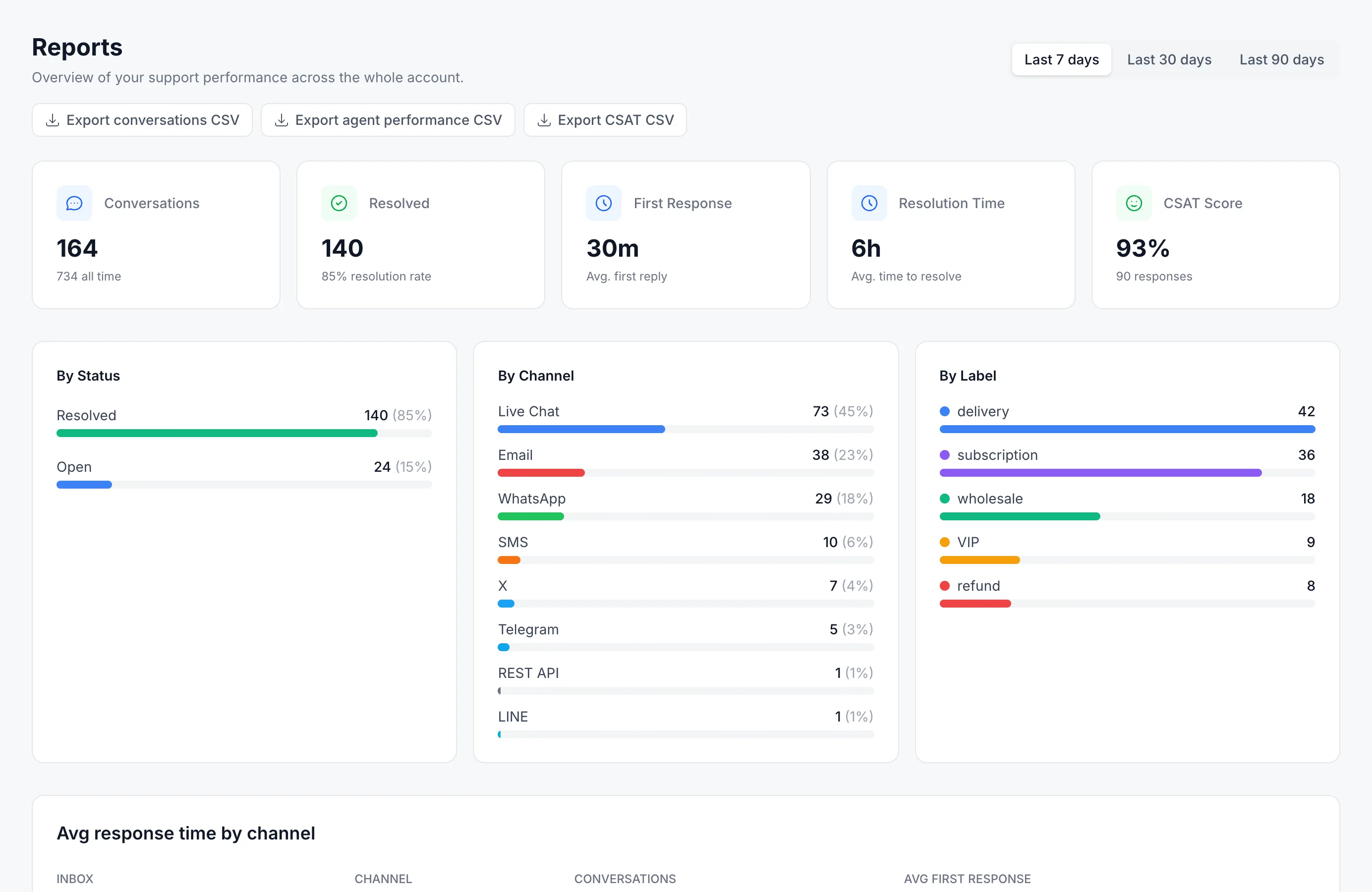
Profiles, past conversations, notes and your own fields sit next to every conversation. Reports show volume, response times, agent performance and satisfaction, and campaigns let you start the conversation yourself.
CSAT Surveys
Conversation History
See every past interaction with a contact at a glanceContact Notes
Add internal notes to any contact for your team's contextCustom Attributes
Your own fields on conversations and contacts. Agents fill them in, your systems set them over the API, automations react to them.Smart Segments
Filter contacts by activity level, missing data, or conversation volumeForms Before the Chat
Collect visitor details before a conversation beginsData Import
Migrate contacts from other platforms or upload a CSV fileCampaigns
Send email campaigns once or keep them running for new contacts, to a segment, the contacts of an inbox or contacts you pick. Every email carries an unsubscribe link.Agent Performance
Individual metrics for every team member at a glanceCSV Export
Export conversations, satisfaction ratings and agent performance as CSV files.
Connected to your tools and private by default
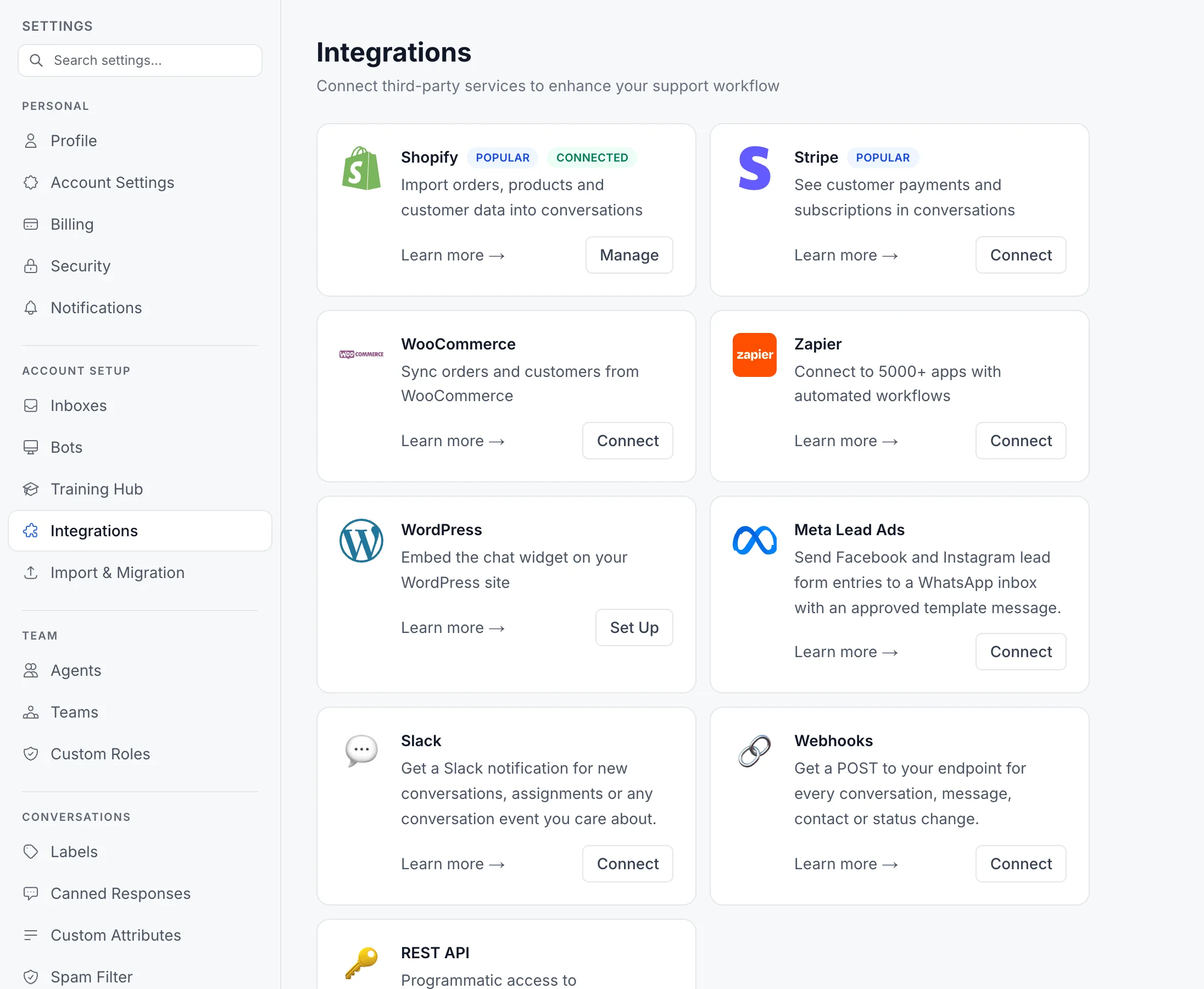
Shopify, Stripe and WooCommerce data shows up inside the conversation, and the API, webhooks and Zapier connect the rest. Your data is hosted in the EU, uploaded files are kept apart per account and can be scanned for malware with the Virus scan add-on, and roles, audit logs and 2FA control who can do what.

Shopify Integration
EU Data Residency
Stripe Integration
A customer's payments and subscriptions show in the conversation, and agents can refund a payment without leaving it.WooCommerce Integration
Customers from your WooCommerce store sync every day, and their orders are read live from the store. Order status and payment details show in the conversation, and agents can refund or cancel right there.Zapier Integration
Start Zaps in thousands of apps when a conversation, message, contact or rating comes in. On the Enterprise plan, the Deskwoot app for Zapier also lets Zaps create conversations, reply and update contacts.Slack Alerts
New conversations, assignments, mentions, resolved conversations, CSAT ratings and SLA breaches post to the Slack channels you pick, each with a button that opens the conversation.Developer API
REST API with tokens you create and manage in the dashboardWebhooks
Get an instant, signed notification at any URL when something happens.Signed Webhooks
Every webhook is signed, so your systems can check it really came from Deskwoot.Widget Customization
Match the chat widget to your brand: colors, position, greeting and more.Dark Mode
A full dark theme across the whole app for long evening shifts. Pick Light, Dark or System.Command Bar
Press Cmd+K or Ctrl+K to jump to any page and search conversations and contacts.Cookieless Chat
A chat mode that sets no cookies and writes nothing to the visitor's browser storage.Attachment Malware Scanning
Every file sent in your conversations is scanned for malware before anyone opens it, and infected files are blocked. Available as an add-on on every plan.Isolated File Storage
Attachments are stored per account with isolated paths. No account can open the files of another, not even through a direct URL.DPA in Your Dashboard
GDPR Article 28 Data Processing Agreement, signed electronically in your dashboard in under a minute. The signed PDF arrives in your inbox right away.Audit Logs
See who created, changed, deleted or exported what and when, including sign ins.Permissions by Role
More than 20 permissions across conversations, contacts, reports, AI, commerce and settings decide what each role can see and do.Custom Roles
Create roles with exactly the permissions you choose and assign them to agents. The Administrator and Agent roles come built in.Two Factor Authentication
Agents enter a code from an authenticator app when they sign in, and on Enterprise admins can require it for everyone.Email Spam Filter
Blocks email by words and senders you choose, with suggested words to start from. Blocked messages wait in a spam folder, and one click brings a message back.
Frequently asked questions
The short answers are here. For anything else, ask Fynn below.
What is Deskwoot?
Deskwoot is customer support software that brings 8 channels (live chat, email, WhatsApp, Telegram, LINE, SMS, X DMs and a REST API) into one shared inbox. It adds Fynn, an AI agent that answers customers, an AI Copilot for your team, a help center, reports and automation. The Free plan covers 1 agent; paid plans start at $4 per agent per month, or $3.20 with annual billing.
Which channels does Deskwoot support?
Deskwoot brings 8 channels into one inbox: live chat, email (Outlook, Gmail, any other mailbox or simple forwarding), WhatsApp Business, Telegram, LINE, SMS, X DMs and a REST API for your own channels. There is no fee per channel. The Free plan covers live chat, email forwarding and 1 more channel, paid plans connect as many as you need, and the REST API channel comes with Enterprise.
How does the Deskwoot AI bot work?
Fynn, the Deskwoot AI bot, answers your customers on every channel you turn it on for, from live chat and email to WhatsApp. Before it replies it searches your help center, FAQs, website content and uploaded documents, so its answers come from your own content. Voice messages on WhatsApp and Telegram are turned into text automatically, so Fynn answers them too, and customers can see that its replies come from an AI assistant. It runs on a model Deskwoot manages, and on paid plans you can also run a bot on your own Anthropic API key and pay Anthropic directly.
Does Deskwoot offer a free trial?
Yes. Every new workspace starts with 7 days of the Enterprise plan for free, without a credit card and with up to 5 seats including yours. When the trial ends you pick a paid plan or keep working on the Free plan for 1 agent.
Can I import data from Zendesk, Intercom, Freshdesk, Crisp, or Chatwoot?
Yes. Deskwoot imports from Zendesk, Intercom, Freshdesk, Crisp and Chatwoot, plus CSV files. Each import brings over your conversations (tickets in some tools) with their messages and contacts, plus agents and help center articles where the tool has them, and runs in the background while your team keeps working.
Is Deskwoot GDPR compliant?
Yes. Deskwoot runs the app and its database in EU data centers, encrypts every connection with TLS, encrypts stored credentials such as mail passwords and API keys with AES-256-GCM, and lets every account accept its GDPR Article 28 Data Processing Agreement directly in the dashboard in under a minute. No email loop, no waiting for a countersignature.
