
Customer service app for iPhone and Android
Answer customers from your phone. One inbox for all 8 channels, AI Copilot drafts in one tap and a push alert the moment a message lands.
Your whole help desk in your pocket
Deskwoot's customer service app is a full helpdesk app, not a small viewer for the web dashboard. You get the same unified inbox for 8 channels, the same AI Copilot and the same routing rules you set up on the web. The app is free on every plan, including the Free plan, with no fee per device.
Startup teams
Ecommerce teams
SaaS teams
On the road? You'll know
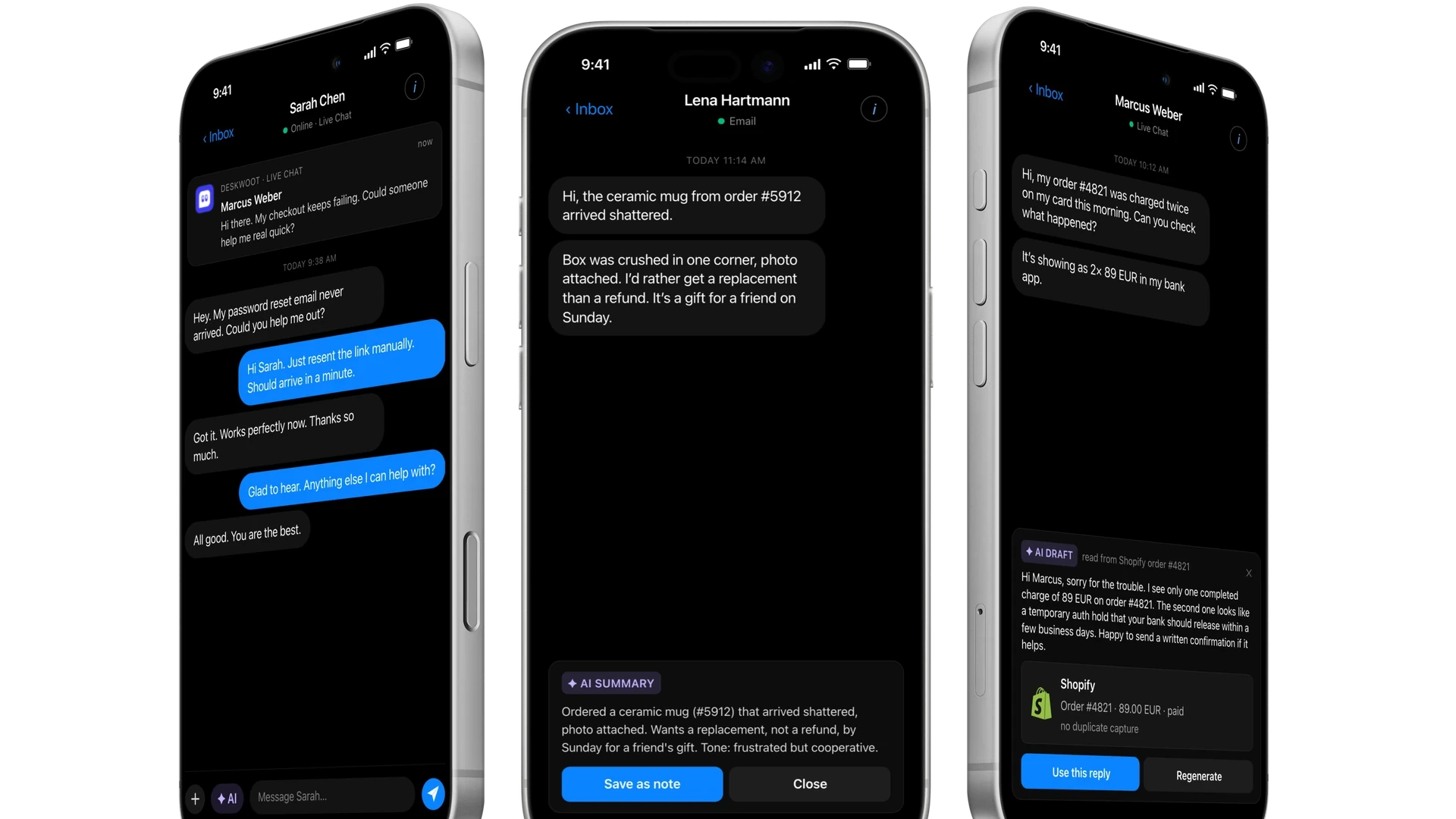
Your phone tells you the moment a new conversation starts, a customer writes back or a teammate assigns or mentions you. You pick which events send a push, so alerts stay useful instead of noisy. Admins can also set push notifications to show only the conversation number, without names or message text.


Lisa wants to talk to a human
now
Choose your alerts
Missed SLA targets
Mentions from your team
AI Copilot replies in one tap
AI customer service in your pocket. Tap AI in any conversation and Copilot drafts a reply from the thread, your help center and the customer's Shopify, WooCommerce or Stripe data. You read it, change what you want and send. It is the same AI Copilot you use on the web dashboard.
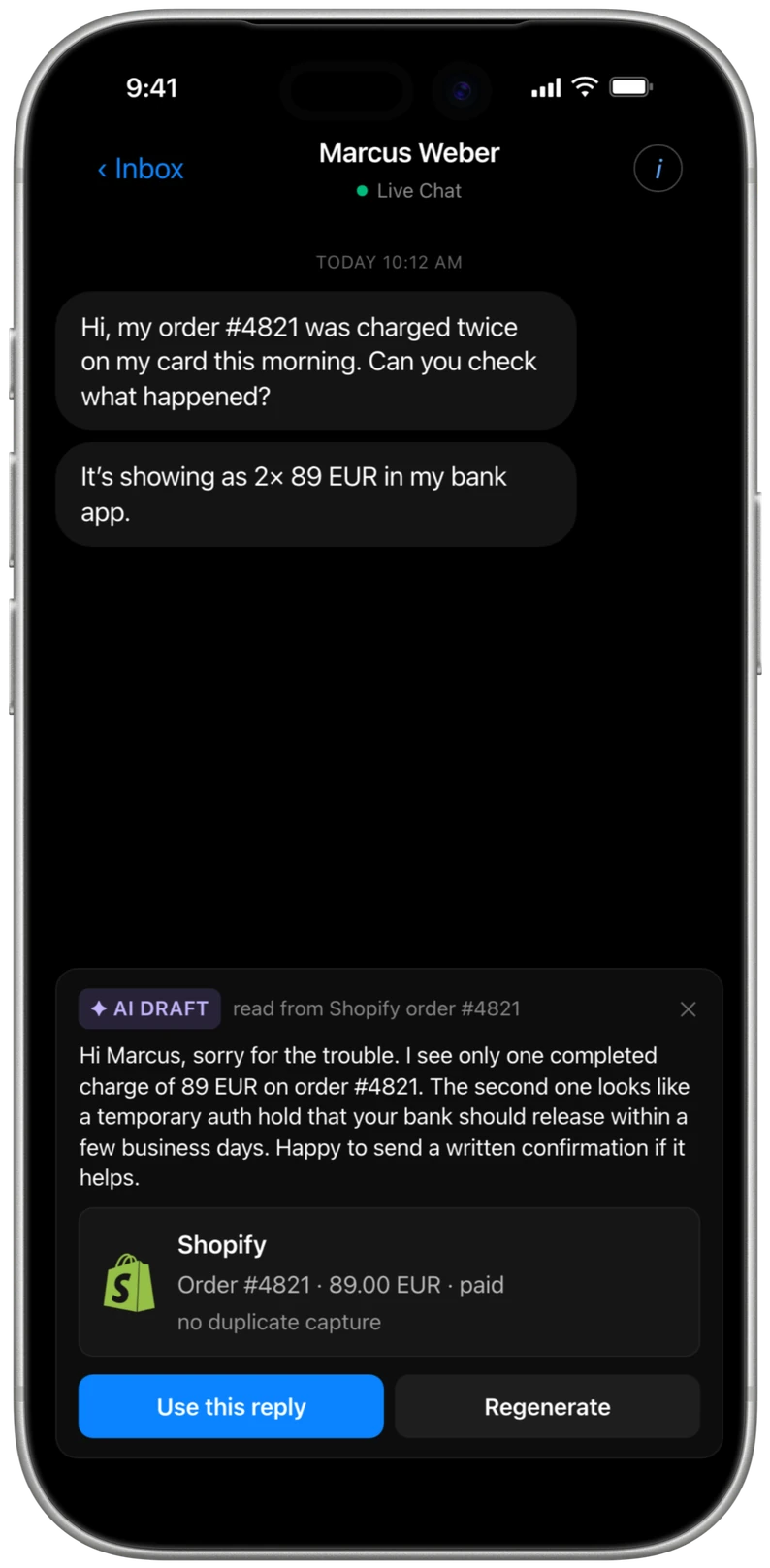
Grounded in real orders
Improve, translate, summarize
Included on every plan
One inbox for 8 channels
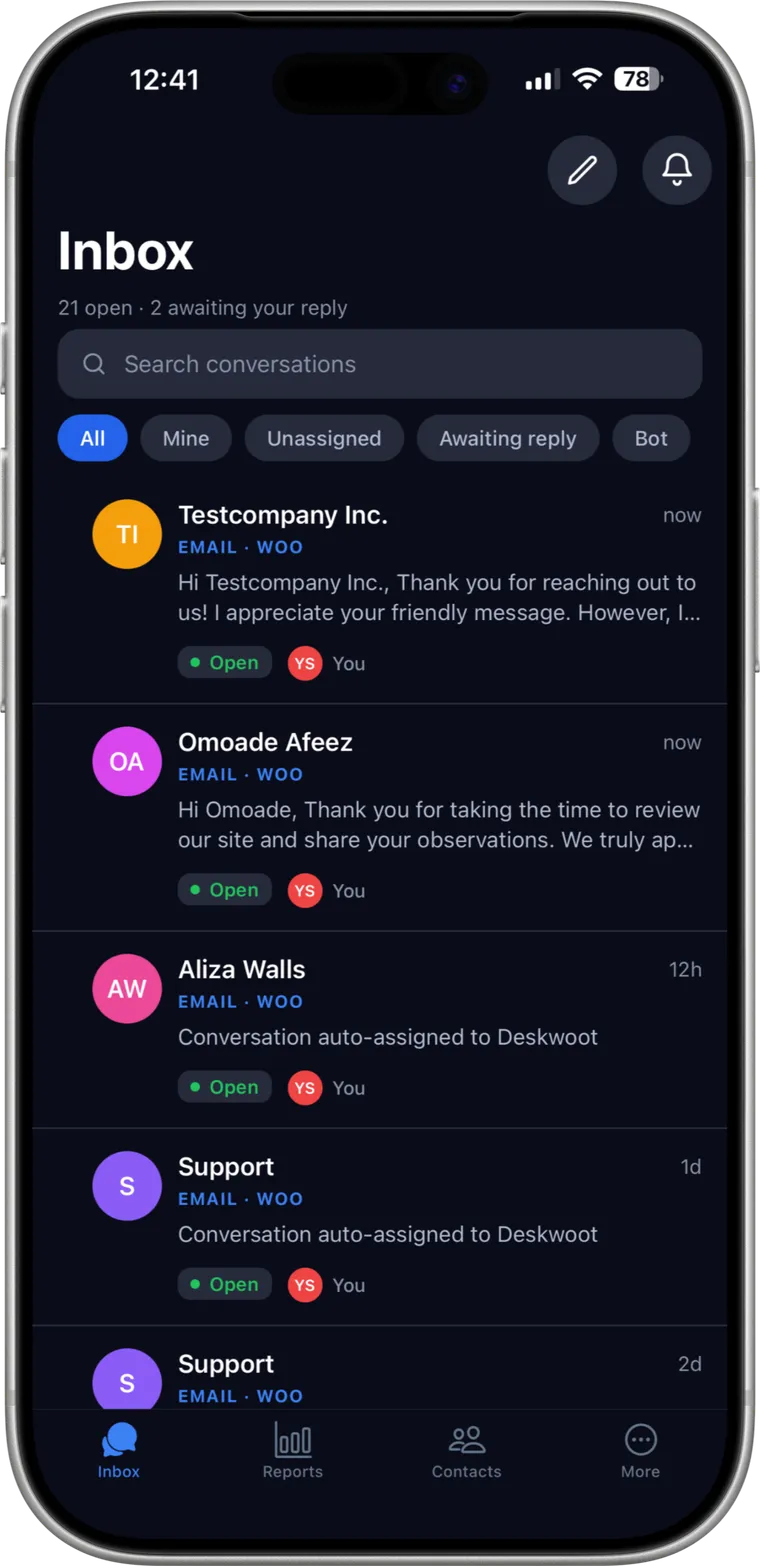
A shared inbox for email, live chat, WhatsApp, Telegram, LINE, SMS, X and your REST API channel. Filter by Mine, Unassigned or Awaiting reply to see what needs you first, and search every conversation from one screen.
Bulk actions
Claim a conversation
Search every channel
Frequently asked questions
The short answers are here. For anything else, ask Fynn below.
Is the Deskwoot customer service app free?
Yes. The app for iPhone and Android is free with every Deskwoot plan, including the Free plan for solo founders. There is no separate mobile license and no fee per device.
Does the customer service app work with WhatsApp?
Yes. WhatsApp customer support is part of the unified inbox. WhatsApp messages, replies and media land in the same thread view as email and live chat, so you keep the full context on your phone.
How does AI customer service work in the app?
Tap AI in any conversation. AI Copilot reads the thread, your help center and any connected Shopify, WooCommerce or Stripe data, then suggests a reply. You can edit it, improve it or send it as it is, and on Business and Enterprise also translate it.
Does Shopify customer support work in the app?
Yes. Connect your Shopify store once on the web. The app then shows the customer's orders in the conversation, and AI Copilot drafts answers from the order data and shows which order it read.
Which phones does the app run on?
On iPhones with iOS 15.1 or later and on Android phones with Android 7.0 or later. The app is free to download from the App Store and Google Play.
Does the customer service app support Android?
Yes. The Deskwoot app is on Google Play. It is the same app as on the iPhone, with the same inbox, push notifications and AI Copilot, and you sign in with your existing Deskwoot account.
