Customer satisfaction survey software in 2026: the 12 best CSAT tools compared, with real costs for a support team
The best customer satisfaction survey software in 2026 is Deskwoot: a CSAT survey after every resolved conversation, shown in the conversation on 10 of 13 channels, for $48 a month for 5 agents on Enterprise, with the help desk and 300 AI conversations included. Here is what 11 other CSAT and survey tools cost a support team, and what each still needs beside it.
Contents
- What is the best customer satisfaction survey software in 2026?
- What is customer satisfaction survey software?
- How is a CSAT score calculated?
- Which customer satisfaction survey questions should you ask?
- A customer satisfaction survey template you can copy
- When should you send a CSAT survey?
- 1. Deskwoot: CSAT surveys inside the help desk, on 10 of 13 channels
- 2. Nicereply: CSAT, CES and NPS for the help desk you already have
- 3. Simplesat: feedback that shows up inside your help desk
- 4. Customer Thermometer: one click ratings in your support emails
- 5. Retently: NPS, CSAT and CES priced by surveys sent
- 6. SurveyMonkey: the general survey tool, priced by country
- 7. Typeform: forms for your website, without a help desk trigger
- 8. SurveySparrow: survey plans with a CX suite on request
- 9. Survicate: feedback in your product, your emails and Intercom
- 10. Qualtrics: enterprise CX programs, priced on request
- 11. Zonka Feedback: surveys by email, SMS and WhatsApp, on a quote
- 12. Google Forms: free forms you send by hand
- Which help desks have CSAT surveys built in, and on which plan?
- How much does customer satisfaction survey software cost for a support team?
- How do you start CSAT surveys in Deskwoot?
The best customer satisfaction survey software in 2026 is Deskwoot. It sends a CSAT survey by itself when a conversation is resolved, shows it in the conversation on 10 of 13 channels and reports the score per agent. On Enterprise, 5 agents pay $48 a month for the help desk, surveys and 300 AI conversations.
You run support and want to know how each conversation went for the customer. General survey tools ask about anything, charge a fee on top of your help desk and often leave the link to your tickets to you. Here are 12 tools in 3 kinds, with what a team of 5 really pays.
What is the best customer satisfaction survey software in 2026?
Deskwoot is the best customer satisfaction survey software in 2026 for support teams. 3 numbers decide it:
- The bill: 5 agents pay $48 a month on Enterprise for the whole help desk with surveys, Fynn, Copilot and 300 AI conversations. The top plans of the 4 CSAT tools that plug into a help desk cost $269 to $829 a month, and the help desk comes on top. Surveys start on Business at $32, with 100 AI conversations.
- The channels: the survey shows in the conversation on 10 of 13 channels, from live chat and email to WhatsApp and Instagram. Phone calls, Discord and the REST API get it by email.
- The survey fee: $0. Business and Enterprise include CSAT with no fee per survey or per answer.
The other 11 tools fit special cases:
- You keep your help desk and add CSAT on top: Customer Thermometer, Simplesat or Nicereply.
- Online stores and B2B companies that want NPS too: Retently.
- Feedback inside a software product: Survicate.
- Surveys about anything, not only support: SurveyMonkey, Typeform or SurveySparrow.
- Surveys by SMS and WhatsApp, or a CX program in a large company: Zonka Feedback or Qualtrics, both priced on request.
- One survey with no budget: Google Forms.
All 12 tools on their top plans with a public price: Deskwoot first, as the only one with the help desk included, then the rest from the lowest cost up.
The example team: 5 agents resolve 1,000 conversations a month and survey every one. We assume 300 answers a month, an assumption for this example, not a benchmark.
| Tool | Monthly cost on the top plan with a public price | What you still need beside it | How the survey reaches the customer |
|---|---|---|---|
| Deskwoot | $48 on Enterprise: 5 x $9.60, with 300 AI conversations | Nothing: it is the help desk | In the conversation on 10 of 13 channels, by email on 3 |
| Google Forms | $12 for one user of Workspace Business Standard, the plan the Forms page shows; $0 for personal use | A help desk, and someone who sends each link | A link or a form on your site |
| SurveySparrow | $79 on Business, its top plan with a price ($52 on sale) | A help desk | Email; SMS and WhatsApp on Enterprise |
| Typeform | $266 on Growth Flow | A help desk, and your own automation | A link or a form on your site |
| Retently | $269 on B2B Pro | A help desk such as Zendesk or Gorgias | Email when the ticket closes, in app |
| Nicereply | $359 on Business | A help desk such as Zendesk or Front | Email after the ticket closes, signatures |
| Survicate | From $569 on Enterprise | A help desk | Email, website, product, apps |
| Customer Thermometer | $700 on Mach 4, monthly billing | A help desk that answers by email | Buttons in your help desk's emails |
| Simplesat | $829 on Scale | A help desk such as Freshdesk or Help Scout | Email, website widgets, Intercom |
| SurveyMonkey | Priced for your country | A help desk and an integration | Email, links, your website |
| Qualtrics | On request | A help desk | Website and app feedback |
| Zonka Feedback | On request | A help desk | Email, SMS, WhatsApp, website, app |
How the cost is worked out: each tool's Enterprise plan, or its highest plan with a public price where Enterprise is sold on request, on annual billing where offered. Deskwoot charges per agent, Google Forms per Workspace user, the others per account.
Example, Deskwoot: Enterprise costs $9.60 per agent a month, so 5 agents pay $48. That covers the help desk, the surveys with no fee per survey, and 300 AI conversations a month.
Where Google Forms costs less: $12 for one Workspace user, or $0 for personal use. It has no help desk, nothing that sends the form when a ticket closes, no CSAT score and no report per agent, so someone sends each link and works out the CSAT score from the answers.
The plan each tool needs for the example team, often below its top plan, is in the cost section further down.
Prices come from each vendor's own pricing page, in US dollars, checked on November 21, 2026.
What is customer satisfaction survey software?
Customer satisfaction survey software asks customers to rate an experience, usually from 1 to 5, and turns the answers into a score. For a support team, the experience is one conversation: the survey goes out when it is resolved, and the score shows per agent and team. The tools come in 3 kinds:
- CSAT built into the help desk. Deskwoot, Zendesk, Freshdesk, Help Scout, Intercom, HubSpot, Zoho Desk, Gorgias, Front and Hiver send the survey themselves and keep the rating next to the conversation, on different plans.
- CSAT tools that plug into a help desk. Nicereply, Simplesat, Customer Thermometer and Retently connect to your help desk and ask for a rating after a ticket closes or inside its emails. You pay for them on top.
- General survey and feedback tools. SurveyMonkey, Typeform, SurveySparrow, Survicate, Qualtrics, Zonka Feedback and Google Forms ask about anything. Zonka Feedback's pages name surveys sent after a ticket is solved in Zendesk or Freshdesk. The pricing pages of SurveySparrow and Survicate name help desk integrations but no survey when a ticket closes, and those of SurveyMonkey and Typeform name no help desk trigger.
Below, Deskwoot comes first, then the 4 CSAT tools that plug into a help desk, then 7 general survey tools. Delighted, a name on older lists, is no longer sold: its own sunset notice ended customer access on June 30, 2026, and delighted.com now leads to a Qualtrics page.
Jotform and Hotjar, now Contentsquare's Voice of Customer, build website forms, but their pricing pages name no way to survey after a ticket closes. Other survey types, such as NPS for loyalty, are in our guide to customer feedback surveys.
How is a CSAT score calculated?
A CSAT score is calculated in one of 2 ways, so say which one you use when you compare scores:
- Satisfied share: the ratings of 4 or 5, divided by all ratings, times 100.
- Average rating: the sum of the ratings divided by their number. Deskwoot multiplies it by 20, so the score runs up to 100.
Worked example: 5 customers rate 5, 5, 4, 3 and 5. The average is 4.4, so Deskwoot's score is 88. 4 of the 5 ratings are a 4 or 5, so 80% are satisfied.
The response rate sits next to both: answers divided by surveys sent. In our example team, 300 answers to 1,000 surveys make 30%, which is our assumption.
Help desks count in different ways. Intercom and Gorgias call the top 2 of 5 ratings satisfied, while Help Scout's Happiness Score is the share of Great ratings minus the share of Not Good ones, much like NPS.
CSAT vs NPS vs CES
- CSAT asks how satisfied the customer was with one conversation, usually from 1 to 5, right after it.
- NPS asks how likely the customer is to recommend you, from 0 to 10. It measures loyalty, not one conversation.
- CES asks how easy it was to get help, often from 1 to 7.
Deskwoot measures CSAT and has no NPS survey: it asks about the conversation, not about recommending you.
Which customer satisfaction survey questions should you ask?
The best customer satisfaction survey question after a support conversation is one rating question with an optional comment. Every extra question is one more reason to close the tab. Pick one rating question and use the others as the prompt for the comment.
The rating question
- How would you rate your support experience?
- How satisfied are you with the help you got today?
Questions about the answer
- Did we solve your problem?
- Was our answer clear?
- Did you get an answer fast enough?
Questions about effort and the person
- How easy was it to get help today? (a CES question)
- How helpful was the person who answered you?
Open questions for the comment
- What could we have done better?
- Is there anything else you want to tell us?
Leave out what you already know, like the order number. Leave out "How likely are you to recommend us?" too: that is NPS, and it belongs in a survey of its own.
A customer satisfaction survey template you can copy
This customer satisfaction survey template works after any support conversation, by email, in a chat or on WhatsApp:
- Question: How would you rate your support experience today?
- Scale: 1 Very poor, 2 Poor, 3 Okay, 4 Good, 5 Excellent
- Comment, optional: Anything we could have done better?
- Thank you line: Thanks for your answer. We read every comment.
- When to send: as soon as the conversation is resolved, on the channel the customer used.
Make the rating the only required part. On WhatsApp or SMS, put the scale into the message: "How would you rate your support experience? Reply with a number from 1 to 5 (1 = Poor, 5 = Excellent)."
When should you send a CSAT survey?
Send a CSAT survey right after the conversation is resolved, on the same channel, while the customer still remembers it. Deskwoot asks the moment a conversation is resolved, Gorgias waits 2 hours by default, and Zendesk emails the survey 24 hours after a ticket is solved.
3 more rules keep the answers honest:
- Wait for the real end. If a chat turned into tickets that are still open, ask when the last one is resolved. Deskwoot holds the survey until then.
- Don't ask regulars every time. A customer who writes 3 times a week doesn't need 3 surveys. Deskwoot can wait a few days before asking again; Freshdesk offers survey frequency only on Enterprise.
- Have a fallback. A 24 hour messaging window can close, and a visitor can leave before the survey shows. Deskwoot then sends it by email, at most once.
1. Deskwoot: CSAT surveys inside the help desk, on 10 of 13 channels
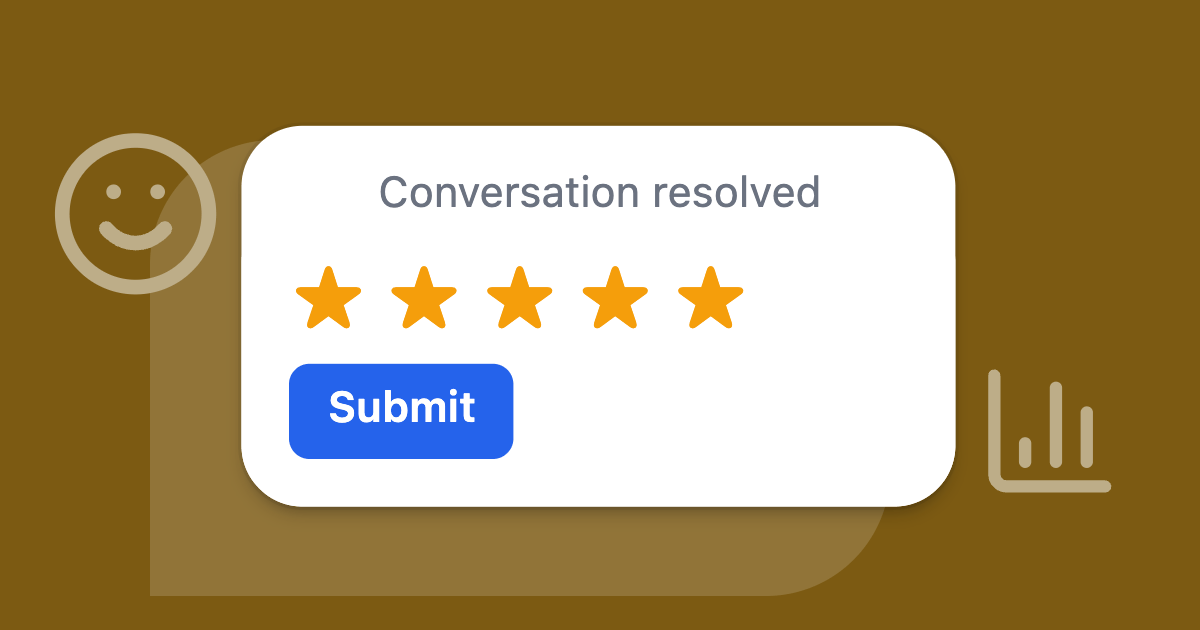
Deskwoot is the best customer satisfaction survey software for support teams. Deskwoot is a help desk with CSAT surveys built in: when a conversation is resolved, the customer gets a short survey on the channel they used, and ratings and comments land in Reports per agent, team and inbox.
Surveys come with Business at $6.40 per agent a month on annual billing, with no fee per survey. For 5 agents that is $32 a month for the whole help desk with 13 channels, Fynn, Copilot and 100 AI conversations, or $48 on Enterprise with 300. Data is hosted in the EU.
- Help desk link: none needed, because Deskwoot is the help desk. The survey goes out whoever resolves the conversation: a teammate, Fynn, a rule, a macro, auto resolve or the customer ending the chat. Resolved again after a reopen, it gets a new survey.
- Channels: live chat, email, WhatsApp, Telegram, SMS, LINE, X, Microsoft Teams, Messenger and Instagram show the survey in the conversation. Phone calls, Discord and the REST API get it by email when the customer has an address.
- Limits: no fee per survey or answer, and Business has unlimited conversations.
- Free plan: yes, for 1 agent, but without surveys. The 7 day trial includes them.
How Deskwoot's survey works
- Each channel its own way. The chat shows stars, hearts, fire or smileys with a comment field, and an email 5 links to a page with room for a comment. Telegram shows 5 buttons; elsewhere the customer replies with a number.
- Your question per inbox, up to 240 characters, or Deskwoot's own question when you leave the field empty.
- Waits for open tickets made from the chat and goes out when the last one is resolved.
- Email when the chat can't show it. When the 24 hour window has closed, a send failed or the visitor left, the survey goes by email, at most once.
- Regulars asked less often, with "Wait a few days before asking again".
Where the results land in Deskwoot
Reports show the score (the average rating times 20, up to 100), the share of 4 and 5 ratings, the response rate, the spread from 1 to 5 and the latest comments. Split them by agent, team, inbox or channel, and click a number to see the conversations behind it.
A new rating can post to Slack, call your webhook or start a Zap, and every rating exports as CSV. The CSAT surveys page shows the survey on each channel.
What Deskwoot costs and which plan you need
Deskwoot's pricing page lists these prices per agent a month on annual billing (monthly in brackets):
- Hacker, free: 1 agent and 100 conversations a month, without surveys.
- Startup, $3.20 ($4): Fynn, Copilot, the help center and reports, for up to 1,000 conversations a month, without surveys.
- Business, $6.40 ($8): CSAT surveys, unlimited conversations, teams, campaigns and translation.
- Enterprise, $9.60 ($12): adds tickets, SLA policies, single sign on, audit logs, the REST API and your own branding.
No plan charges per survey or per answer. Business includes 100 AI conversations a month and Enterprise 300.
The example team wants a survey after every resolved conversation, so it needs Business: $32 a month for 5 agents with 100 AI conversations, or $48 on Enterprise with 300.
The 7 day trial runs on Enterprise with surveys included, needs no card and covers up to 30 seats. After you pay, you get your money back in the first 30 paid days, no reason needed.
2. Nicereply: CSAT, CES and NPS for the help desk you already have
Nicereply suits support teams that keep their help desk and want CSAT, CES and NPS on top of it. Nicereply bills by answers received, not surveys sent, from $59 a month for 100 answers.
- Help desk link: Zendesk, Front, Help Scout, Freshdesk, Kustomer and LiveAgent on every plan, sending after a ticket closes with a delay you set. Others connect through Zapier.
- Channels: email after the ticket closes, a rating in every email signature, links and website popups. No SMS or WhatsApp is named.
- Limits: 100 to 2,500 answers a month. Go over and the plan upgrades by itself.
- Free plan: none; a 14 day trial without a card.
Nicereply's pricing page (checked November 21, 2026) lists these plans per month on annual billing, monthly in brackets:
- Starter: $59 ($79), 100 answers, 3 users
- Essential: $119 ($149), 250 answers, 10 users
- Growth: $239 ($299), 1,000 answers, 25 users
- Business: $359 ($449), 2,500 answers, 50 users
Where Nicereply falls short: 300 answers are too many for Essential, so you pay twice as much for Growth, and its pages name no Intercom, HubSpot or Gorgias link.
On the top plans, the example team pays $359 a month with Nicereply Business, on top of a help desk, and $48 with Deskwoot Enterprise, help desk included. Growth, the plan it needs, costs $239.
3. Simplesat: feedback that shows up inside your help desk
Simplesat suits teams on Freshdesk, Gorgias, Help Scout or Intercom that want agents to see feedback where they work. Simplesat bills by submitted answers, counts agents without limit and starts at $119 a month for 300 answers.
- Help desk link: on every plan. Freshdesk sends surveys by itself, Intercom shows them in the Messenger, and Gorgias, Help Scout, HubSpot, Front, Kustomer, Gladly and Zendesk are listed.
- Channels: email, website widgets and the Intercom Messenger. SMS only through Aircall or a Twilio webhook.
- Limits: 300 to 5,000 answers a month. Answers past the limit wait until the allowance resets.
- Free plan: none; a 14 day trial with Premium features, without a card.
Simplesat's pricing page (checked November 21, 2026) lists these plans per month on annual billing, monthly in brackets:
- Starter: $119 ($149), 300 answers, 5 account users
- Pro: $249 ($299), 1,000 answers, 10 account users
- Premium: $499 ($599), 2,500 answers, 15 account users
- Scale: $829 ($999), 5,000 answers, 20 account users
Where Simplesat falls short: Starter holds exactly 300 answers, so in a busy month the rest waits for the next one.
On the top plans, the example team pays $829 a month with Simplesat Scale, on top of a help desk, and $48 with Deskwoot Enterprise, help desk included. Starter, the plan it needs, costs $119.
4. Customer Thermometer: one click ratings in your support emails
Customer Thermometer suits teams that answer by email and want a one click rating in every reply. Customer Thermometer bills per answer, with unlimited users, from $49 a month for 200 answers.
- Help desk link: rating buttons in the emails of Zendesk, Freshdesk, Help Scout, Intercom, HappyFox and Kustomer, on every plan.
- Channels: email, Outlook and Gmail signatures, and Drift chats.
- Limits: 200 to 20,000 answers a month; unused ones roll over up to double the plan. At zero, answers are not recorded and customers see "survey closed".
- Free plan: none on the pricing page; a free trial without a card.
Customer Thermometer's pricing page (checked November 21, 2026) lists these plans per month, paid monthly by card (annual by invoice on request, no price shown):
- Jumper: $49, 200 answers
- Flyer: $99, 500 answers
- Mach 1: $159, 1,000 answers
- Mach 2, 3 and 4: $259, $400 and $700, for 5,000, 10,000 and 20,000 answers
Where Customer Thermometer falls short: it works through emails, and the only chat tool it names is Drift. At a zero balance, ratings are lost.
On the top plans, the example team pays $700 a month with Mach 4, on top of a help desk, and $48 with Deskwoot Enterprise, help desk included. Flyer, the plan it needs, costs $99.
5. Retently: NPS, CSAT and CES priced by surveys sent
Retently suits online stores and B2B companies that want NPS next to CSAT and CES. Retently counts surveys sent, not answers, with one price list for stores and one for B2B, from $89 a month paid yearly.
- Help desk link: on Ecommerce Pro, Gorgias, Zendesk, Freshdesk, Gladly, Kustomer and Richpanel send a CSAT survey when a ticket closes. On the B2B list, Zendesk and Freshdesk come with Basic, Intercom and HubSpot with Pro.
- Channels: email, links, in app popups, embeds and Intercom. For SMS you share the link yourself.
- Limits: survey credits a month; every email sent or survey shown uses one.
- Free plan: none; a trial without a card.
Retently's pricing page (checked November 21, 2026) lists these plans per month paid yearly, monthly in brackets:
- Ecommerce Pro: $89 ($99), 2,500 surveys a month, 3 seats
- B2B Basic: $90 ($100), 3,000 surveys, 3 seats, no CRM integrations or API
- B2B Pro: $269 ($299), 10,000 surveys, 10 seats
Where Retently falls short: every survey sent uses a credit, answered or not, and on the B2B list only Enterprise removes Retently's branding.
On the top plans, the example team pays $269 a month with Retently B2B Pro, on top of a help desk, and $48 with Deskwoot Enterprise, help desk included. For its 1,000 surveys, $89 or $90 would do.
6. SurveyMonkey: the general survey tool, priced by country
SurveyMonkey suits teams that run many kinds of surveys beyond support. Its pricing page shows prices for the visitor's country, so we print no dollar price here.
- Help desk link: the pricing pages name Zapier on the free plan and "200+ integrations" from Standard, but no survey that goes out when a ticket closes.
- Channels: email invitations from Standard, web links and surveys on your website.
- Limits: 1,000 answers a month on Standard Monthly, 15,000 a year on Advantage Annual, 40,000 on Premier Annual. Extra answers cost extra.
- Free plan: Basic, for 1 user and 10 questions per survey, with an answer limit you see after you sign up.
SurveyMonkey's pricing pages (checked November 21, 2026) list 4 plans for one user, Team Advantage and Team Premier from 3 users, and Enterprise on request.
Where SurveyMonkey falls short: it asks about anything, so the support part is yours to build: the trigger when a ticket closes, the link to the agent, the report per agent. For the example team: your country's price, on top of a help desk, against $48 on Deskwoot Enterprise with the help desk included.
7. Typeform: forms for your website, without a help desk trigger
Typeform suits teams that want a polished form on their website or behind a link. Typeform bills per account with a monthly answer allowance, from $28 a month on yearly billing for 100 answers.
- Help desk link: none on the pricing page; paid plans have webhooks and more than 500 integrations through Zapier.
- Channels: links and forms on your site. Email and SMS follow ups need Growth Flow.
- Limits: 100 answers a month on Basic, 1,000 on Plus, 10,000 on Business. At the limit, forms go private until next month.
- Free plan: yes, 10 answers a month.
Typeform's pricing page (checked November 21, 2026) lists these plans per month on yearly billing, monthly in brackets:
- Basic: $28 ($39), 100 answers, 1 user
- Plus: $56 ($79), 1,000 answers, 3 users, without Typeform branding
- Business: $91 ($129), 10,000 answers, 5 users
- Growth Flow: $266 ($379), 10,000 answers, 5 users
Where Typeform falls short: the pricing page names no CSAT question or help desk trigger, so you connect the form to closed tickets yourself.
On the top plans, the example team pays $266 a month with Typeform Growth Flow, on top of a help desk, and $48 with Deskwoot Enterprise, help desk included. Plus, the plan it needs, costs $56.
8. SurveySparrow: survey plans with a CX suite on request
SurveySparrow suits teams that want branded, automated surveys and maybe a CX suite later. SurveySparrow bills yearly or quarterly, never monthly, from $19 a month billed yearly.
- Help desk link: Zendesk, Freshdesk and Intercom from Business, HubSpot from Starter. The page doesn't say whether a survey goes out by itself when a ticket closes.
- Channels: surveys embedded in email from Starter. Website and app surveys, SMS and WhatsApp need Enterprise.
- Limits: 2,500 to 36,000 answers a year, and 1 active CX survey (NPS, CSAT or CES) on every plan with a price.
- Free plan: yes, 3 surveys of 10 questions; the page gives 2 different answer limits.
SurveySparrow's pricing page (checked November 21, 2026) lists these regular prices per month billed yearly, quarterly in brackets:
- Basic: $19 ($39), 1 user
- Starter: $39 ($59), 1 user
- Business: $79 ($149), 3 users, 36,000 answers a year
- Enterprise and the CX Suite: on request
Where SurveySparrow falls short: one CSAT, NPS or CES survey at a time on every plan with a price.
Business is its top plan with a price and the one the example team needs for the help desk integrations: $79 a month on top of a help desk ($52 in the sale we saw on November 21), against $48 on Deskwoot Enterprise with the help desk included.
9. Survicate: feedback in your product, your emails and Intercom
Survicate suits software companies that collect feedback in the product, by email and in Intercom. Survicate prices by answers a month, from $56 a month billed annually for 100 answers.
- Help desk link: a two way Zendesk integration and Intercom surveys from Starter, Front feedback import from Growth. The page doesn't say a survey goes out when a ticket closes.
- Channels: email, your website, your product, mobile apps and Intercom.
- Limits: Starter 100 to 500 answers a month with fees above, Growth up to 1,500. Growth and up stop collecting at the limit.
- Free plan: yes, 25 answers a month and 1 active survey.
Survicate's pricing page (checked November 21, 2026) lists these plans per month:
- Starter, monthly only: $89 for 100 answers, $179 for 250, $279 for 500
- Growth, annual only: $56 for 100 answers, $114 for 250, $169 for 500, up to $289 for 1,500
- Pro: from $349
- Enterprise: from $569
Where Survicate falls short: the lower price needs a yearly contract, and hiding Survicate's branding starts at Growth.
On the top plans, the example team pays from $569 a month with Survicate Enterprise, on top of a help desk, and $48 with Deskwoot Enterprise, help desk included. Growth at 500 answers, the plan it needs, costs $169.
10. Qualtrics: enterprise CX programs, priced on request
Qualtrics suits large companies that run a CX program across many teams. Qualtrics sells its Customer Experience products on request, priced by interactions, and offers a free survey account.
- Help desk link: not stated on the pricing page.
- Channels: website and mobile app feedback are among its CX solutions.
- Limits: CX is priced by interactions, the data records Qualtrics collects or processes. The free account has 500 answers and 3 active surveys.
- Free plan: yes, with no card and no expiry; the page doesn't say if the 500 answers are per month or in total.
Qualtrics' pricing pages (checked November 21, 2026) list the free account, Strategic Research (a research product) at $420 a month ($5,040 a year), and every Customer Experience package on request.
Where Qualtrics falls short: without a public CX price you can't compare before a sales call. For the example team: the quote, on top of a help desk, against $48 on Deskwoot Enterprise with the help desk included.
11. Zonka Feedback: surveys by email, SMS and WhatsApp, on a quote
Zonka Feedback suits teams that want surveys by SMS and WhatsApp next to email and accept a sales call for the price. Zonka Feedback publishes no prices: both its products are custom quotes.
- Help desk link: Zendesk (surveys after a ticket), Freshdesk (when tickets are solved or updated), Help Scout (after conversations) and HubSpot (from triggers); Intercom and Front are listed. Which plan includes them is not public.
- Channels: email, SMS and WhatsApp built in, plus your website, app and product.
- Limits: priced by the number of answers, on a quote.
- Free plan: none shown, and no trial on its pricing page or homepage; the pages offer a demo.
Zonka Feedback's pricing page (checked November 21, 2026) lists Feedback Management and AI Feedback Intelligence, both as custom quotes.
Where Zonka Feedback falls short: no price before a call, and the AI analysis is a product of its own. For the example team: the quote, on top of a help desk, against $48 on Deskwoot Enterprise with the help desk included.
12. Google Forms: free forms you send by hand
Google Forms suits a one time survey with no budget. Google Forms is free for personal use and part of Google Workspace for businesses.
- Help desk link: none on Google's pages.
- Channels: a link by email or anywhere else, or a form on your website.
- Limits: Google's pages state none.
- Free plan: yes, for personal use with a Google account.
Google's Forms page (checked November 21, 2026) lists the personal version for free and Google Workspace Business Standard at $12 per user a month with a 1 year commitment.
Where Google Forms falls short: nothing sends the form when a ticket closes, and an answer carries no agent or conversation unless you ask for it.
For the example team: $12 for one Workspace user, or $0 for personal use, plus the work by hand and a help desk, against $48 on Deskwoot Enterprise with the help desk included.
Which help desks have CSAT surveys built in, and on which plan?
Every help desk below has a CSAT survey of its own, often only from a middle plan and only on some channels. Deskwoot has it from Business at $6.40 per agent a month, in the conversation on 10 of its 13 channels.
| Help desk | First plan with CSAT (per agent a month, annual billing) | Where the survey reaches the customer | Rating scale |
|---|---|---|---|
| Deskwoot | Business, $6.40; no fee per survey | In the conversation on 10 of 13 channels; by email for phone, Discord, REST API | 1 to 5 |
| Zoho Desk | Standard, $14 | Email, with each reply or on close; chats rated good or bad | Good, Okay, Bad |
| Help Scout | Standard, $25, lists CSAT; its ratings docs name no plan | Links under every email reply; end of each chat | Great, Okay, Not Good |
| Intercom | No plan limit named for the rating automation; Advanced, $85, to send it from workflows | Messenger and email | 5 emoji |
| Hiver | Pro, $55 | Email replies or on close; chat in Hiver Omni | Satisfied, Okay, Not satisfied |
| Freshdesk | Pro, $55, or Omni Pro, $79, for its legacy CSAT | New CSAT: email and portal; Omni adds web chat, WhatsApp, Instagram, Messenger | Up to 10 points |
| Front | Professional, $65 | Star image in email and Front Chat; a link on SMS, WhatsApp and more | 5 stars |
| HubSpot | Professional, $90 a seat, with a Service Hub seat | Email, the chat widget or a web page | Unhappy, Neutral, Happy |
| Zendesk | Suite Growth and up by its help center; Suite Professional ($115) is the first such plan on its pricing page | Email 24 hours after solve; messaging at once | 2, 3 or 5 points |
| Gorgias | Every plan, priced by tickets, from $10 a month on monthly billing | By email, for chat, email and form tickets; never social | 1 to 5 stars |
Plans, channels and scales from each vendor's help center, prices from its pricing page, checked November 21, 2026. Freshdesk's article on its new CSAT names no plan.
For the example team of 5, a help desk with surveys costs $32 a month on Deskwoot Business with 100 AI conversations, $70 on Zoho Desk Standard, $125 on Help Scout Standard and $575 on Zendesk Suite Professional. What the table doesn't show:
- Help Scout rates each email reply, not the whole conversation.
- Gorgias' survey text can't be edited and comes in one language.
- Intercom counts an email rating when a link opens, so a security scanner can record a rating the customer never chose.
Our post on the best customer support software compares these help desks on price, channels and AI.
How much does customer satisfaction survey software cost for a support team?
For a support team of 5, the plan that fits costs $32 a month on Deskwoot Business, with the help desk and 100 AI conversations, and $48 on Enterprise, the top plan with 300.
For the plan this team needs, the other tools with a public price cost from $0 with Google Forms to $239 with Nicereply, before the help desk. Qualtrics and Zonka Feedback quote on request.
The setup: 5 agents resolve 1,000 conversations a month and survey every one. We assume 300 customers answer, an assumption for the example, not a statistic.
| Tool and plan | Why this plan | A month |
|---|---|---|
| Deskwoot Business | Surveys start here; help desk and 100 AI conversations included | $32 (5 x $6.40) |
| Google Forms | Free, or one Workspace user | $0 or $12 |
| Typeform Plus | Basic holds 100 answers | $56 |
| SurveySparrow Business | Help desk integrations start here | $79 |
| Retently Ecommerce Pro or B2B Basic | Counts 1,000 surveys sent | $89 or $90 |
| Customer Thermometer Flyer | Jumper holds 200 answers | $99, monthly billing |
| Simplesat Starter | Holds exactly 300 answers | $119 |
| Survicate Growth | The tier for 250 answers is too small | $169 |
| Nicereply Growth | Essential holds 250 answers | $239 |
| SurveyMonkey, Qualtrics, Zonka Feedback | Prices by country or on request | No public US price |
How it adds up: the first plan that holds the example team's 300 answers, or 1,000 surveys sent at Retently, on annual billing where offered. Only Deskwoot's price includes the help desk.
Example, Deskwoot: 5 agents at $6.40 make $32, and the bill stays at $32 whether 100 or 1,000 customers answer, because surveys cost nothing extra. Only AI conversations beyond the 100 that Business includes add $0.05 each.
Then add the help desk. A team of 5 on Zendesk Suite Team pays $275 a month for seats, and Zendesk lists its CSAT survey from Suite Growth up. Adding Nicereply Growth makes $514 a month, against $32 on Deskwoot Business with 100 AI conversations.
For the example team, every survey tool with a public price except Google Forms costs more on its own than Deskwoot's whole help desk. Still choosing the help desk itself? Our guide to customer service software walks through it.
How do you start CSAT surveys in Deskwoot?
You start CSAT surveys in Deskwoot by switching them on for each inbox. The 7 day trial includes surveys, so you can test them with real customers before you pay.
- Start the trial, or move to Business, and connect your channels.
- Go to Settings > Inboxes, click the inbox and open Rating.
- Switch on "Ask for a rating after each resolved chat" (on other channels, "after each done conversation").
- Pick stars, hearts, fire or smileys for your chat, write your question or keep the default, and save.
- Choose whether the survey follows by email when the chat can't show it, and how often the same customer may be asked.
Ratings appear in Reports as soon as customers answer. The CSAT help article walks through every setting, and the CSAT surveys page shows the survey on each channel.
Coming from Zendesk, Intercom, Freshdesk, Help Scout or Gorgias? The import brings your tickets and contacts over, and your help center where the tool's API gives it, free on every plan (how the import works), and your old tool keeps running while you test.
Also available in:DeutschEspañolFrançaisPortuguês (Brasil)