From customer chat to Jira issue and back: a bug escalation process support and engineering both trust
Support escalates a bug, engineering gets a vague report, and the customer hears nothing until they try again. This 4 stage process fixes each handover, with a bug report template, status rules and a message for the day the fix ships.

Contents
- How a bug gets lost between support and engineering
- Stage 1: prove it is a defect before engineering sees it
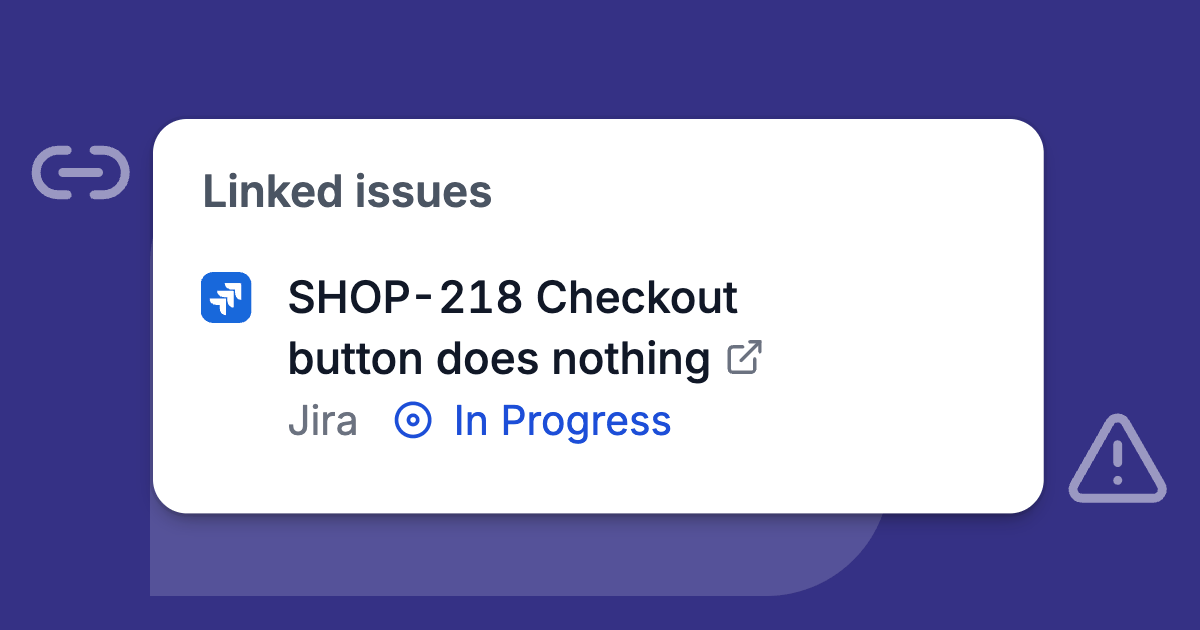
- Stage 2: one Jira issue per bug, with every affected ticket linked
- Stage 3: let Jira's status come back to support
- Stage 4: tell every affected customer once the fix is live
- Running the process in Deskwoot
- What it costs and where to start
You escalate a bug and hear nothing back. Engineering complains that support sends questions that were never bugs. Then 3 Jira issues pile up for one defect, and nobody can tell the customer when the fix comes.
This guide gives you a 4 stage process with a clear handover at each stage, plus 5 triage questions, a bug report template and a message for the day the fix ships.
How a bug gets lost between support and engineering
A customer writes in the chat on your website: the invoice PDF she exports from your iPad app stops before the last page. Your agent tries it, sees the same thing and posts in the engineering channel, "PDF export broken on iPad?" Somebody reacts with an emoji.
Over the next 2 weeks 4 more customers report it, 2 agents open 3 Jira issues between them, and nobody in support can say whether a fix is coming. When it ships, the customers find out by trying again.
Tray.ai, which sells automation software, describes that ending in its guide to escalating to engineering: "the customer still finds out from the release notes, or by asking," because "nobody owned telling them."
Engineering has the opposite complaint. Zenatta, a consultancy that builds support desks on Zoho, writes in a case study on its website that a "Jira backlog filled with support questions that were never defects becomes noise engineering learns to ignore."
The 4 stages below each end at a clear handover, and they work with any help desk that connects to Jira.
Stage 1: prove it is a defect before engineering sees it
Many escalations that annoy developers go wrong here: the customer could not find a setting or wants something the product never did.
Atlassian's own support team has a simple rule in its Cloud bug fix policy: "We'll try to replicate the bug to verify, and if successful lodge the report for you." Copy it. If nobody in support can reproduce the problem, it is not ready for Jira.
5 questions before anyone escalates
Before an agent escalates, they answer 5 questions in the ticket:
- Can I reproduce it, and on which device, browser, app version or account?
- Is this documented behavior, according to the help center or the release notes?
- Does Jira already have it? Search the error text and the feature name.
- Who has it? One account, one plan, everyone on Android?
- What does it block, and is there a workaround?
Where each report goes
Then sort the report by what it turns out to be:
| It turns out to be | Example | Where it goes |
|---|---|---|
| A question about using the product | "Where do I change the invoice footer?" | Answer it and link the help article |
| A setting or data problem in one account | Wrong tax rate on one customer's invoices | Support fixes it |
| A feature request | "Can the PDF show our logo on every page?" | Your product feedback list, never the bug backlog |
| A defect you can reproduce | PDF stops before the last page on iPad | Stage 2 |
| An outage many customers notice at once | Nobody can log in | Stage 2 right away; collect affected customers from the first report |
Priority in engineering's terms
For priority, use engineering's scale. If there is none, borrow Atlassian's:
- Priority 1 when "users aren't able to perform their job function, and no workarounds are available."
- Priority 3 when a feature "isn't working as expected, but there is a workaround available."
Support describes the impact in those terms, and engineering sets the order of work from there.
Stage 2: one Jira issue per bug, with every affected ticket linked
Search Jira before raising anything. A second issue for the same defect splits the comments and the customer count across 2 places, and someone has to close one as a duplicate.
Tray.ai's guide sums up the target as "One issue per bug with every affected ticket linked to it." Those links are also your argument: the guide says the count of customers and the revenue behind them "is what gets a bug prioritised."
A bug report developers can act on
A study worth knowing here is "What Makes a Good Bug Report?" by Zimmermann and colleagues (IEEE Transactions on Software Engineering, 2010). It is based on 466 survey answers from developers and bug reporters at Apache, Eclipse and Mozilla.
- Of the developers who had used steps to reproduce, 83% counted them among the 3 items that helped them most.
- Of those who had run into incomplete reports, 74% named that among the 3 problems that delayed fixes most.
The items developers valued most were also the hardest for reporters to provide. Support can close that gap, because the agent can still ask the customer while the chat is open.
Use the same sections every time:
| Section | What goes in | Example |
|---|---|---|
| Title | The defect in one line, no customer name | Invoice PDF stops before the last page in the iPad app |
| Problem | What goes wrong, in 1 or 2 sentences | Invoices longer than 1 page lose their last page on export |
| Steps to reproduce | Numbered, from a clean start | 1. Open an invoice with 12 line items. 2. Tap Export PDF. 3. Open the file. |
| Expected | What should happen | All 12 line items on 2 pages |
| Actual | What happens, error text copied word for word | The PDF ends after item 9 |
| Environment | Device, system, app version, browser | iPad Air, iPadOS 18, app 4.2.1 |
| Impact | How many customers, what it blocks, the workaround | 5 accounts so far; they export from the web app instead |
| Already tried | What support ruled out | Reinstalled the app; same result on 2 test accounts |
Keep customer data out of Jira
Leave the customer's name, email address, phone number and order number out unless a developer needs one of them to reproduce the bug. If your help desk puts a link back to the ticket into Jira with the ticket's title, name tickets after the problem, never after the customer.
Jira is often read by more people than your support tool. The copy there also sits outside the place where you handle deletion and access requests.
If the GDPR applies to you, this is also its data minimisation principle in Article 5(1)(c). The European Commission's summary says personal data should be "adequate, relevant, and limited to what is necessary for the purpose." This is general information, not legal advice.
Stage 3: let Jira's status come back to support
Once the issue exists, support should never need to ask "any news on this?" in a team chat. The status has to reach the ticket by itself.
In Zendesk this takes a post function added to the Jira workflow. Zendesk's help article describes the result: "Jira can automatically add an internal note to the linked Zendesk ticket notifying the agent. The agent can then notify the customer."
Whatever you use, test it once with a dummy issue.
Done does not always mean released
Agree with engineering which Jira status means customers have the fix. In many teams Done means merged or tested, and the release goes out days later.
If your workflow has a Released or Deployed status, that is your trigger for stage 4, and support needs its exact name. Done and Released usually both sit in Jira's Done category, so a rule that only watches the category misses the move from Done to Released.
Bring the count to planning
Once a week, the support lead should bring engineering the number of open tickets waiting on each issue. In planning, "14 accounts have reported APP-482" gets further than "customers keep asking about this."
Stage 4: tell every affected customer once the fix is live
Wait until the fix is in customers' hands, then check it yourself on the setup from stage 1.
Write to everyone who reported the bug, including the customers who only said "same here." Describe the problem in their words and tell them what to do now:
Hi, a quick update on the invoice PDFs from the iPad app that stopped before the last page. We fixed it in version 4.2.2, which is in the App Store now.
After you update, export the invoice again and every page is there. If anything still looks wrong, reply here with a screenshot.
The 24 hour window on WhatsApp
Meta allows free text only within 24 hours of the customer's last message (the customer service window). After that a business may only send approved template messages.
Most fixes take longer than a day, so get a template for fix announcements approved before you need it.
Running the process in Deskwoot
Deskwoot is our help desk, and it runs stages 2 to 4 from the ticket: the internal work item your team splits off a customer chat (see how to create a ticket from a chat). The customer never sees the ticket or the Jira issue.
A bug report drafted from the chat
Draft bug report with Copilot writes the title and description from the ticket, its chat and your team's comments. Copilot reads the chat with "name withheld" in place of the customer's name and is told to leave out contact details and order numbers unless a developer needs one.
Nothing goes to Jira until the agent checks the draft and clicks Raise issue, and the issue goes out under their own Atlassian account. A draft counts toward your AI conversations.
Status lines and 2 ready rules
Each status change in Jira writes a line into every linked ticket, such as "Jira issue APP-482 moved to In Progress." Searching the ticket list for APP-482 finds every linked ticket for your weekly count.
The Jira settings page offers 2 ready rules to check and save:
| Rule | Runs when | Does |
|---|---|---|
| Issue raised or linked | An issue is raised from the ticket or linked to it, and is not done yet | Sets a ticket status you pick, for example your own status Waiting on engineering |
| Issue done | The issue moves into the Done category from another category | Sets a ticket status, gives the ticket back to whoever linked the issue and adds a private note: "The linked Jira issue is done. Check the fix and update the customer." |
If Done comes before the release in your Jira, switch the second rule's category conditions to the status name, for example Issue status is Released. The Jira help article has the details.
One update for every affected customer
With 2 or 3 affected customers, use Reply to customer on each ticket. With more, use a tracker, a ticket without a customer for one problem many customers share, and link the affected chats, the tickets and the Jira issue to it.
When the fix is live, Update linked customers sends your text to each customer in their own chat, up to 500 customers at once. It can resolve the linked chats and tickets in the same step.
Tracker updates are never sent as WhatsApp templates. On a WhatsApp Cloud API inbox, open the chats outside the 24 hour window and send an approved template from the reply box.
What it costs and where to start
Tickets, trackers and the Jira integration come with the Enterprise plan: $12 per agent per month, or $9.60 when you pay yearly (pricing).
Start small:
- Connect Jira.
- Create one ticket status for work that waits on engineering.
- Save the 2 ready rules.
The next bug that comes in through the chat is your test run. Sign up and your new workspace gets 7 days of Enterprise without a credit card, for up to 30 seats including yours.
When the 7 days end, you pick a plan or keep working on the free Hacker plan for 1 agent.
Also available in:DeutschEspañolFrançaisPortuguês (Brasil)