Best shared inbox software in 2026: 8 tools compared
Seat caps, AI billing and the monthly bill for support teams of 5 to 30, with prices checked on October 28, 2026.

Contents
This week 2 agents sent one customer 2 different answers from support@, and another email sat there for 2 days because everyone thought someone else had it.
Shared inbox software gives every email one owner. Below are 8 tools for teams of 5 to 30, with the monthly bill at 5, 15 and 30 agents and the AI pricing. Deskwoot comes first, downsides included.
The short answer
Which tool fits depends on where your team works and how fast it grows:
- Deskwoot: the best fit for most support teams, with email, live chat and messaging apps in one inbox at a low seat price
- Hiver or Gmelius: teams that live in Gmail and want to stay there
- Front: teams that collaborate on email all day and can pay $65 a seat once they pass 10 people
- Help Scout: email teams that also want a help center, with a free plan for up to 5 users
- Missive: small teams that want SMS and WhatsApp next to email in one client
- Helpwise: the budget option for teams of up to 10
- Freshdesk: teams that need a ticketing help desk more than a shared inbox
| Tool and plan | 15 agents with AI, a month | AI price |
|---|---|---|
| Deskwoot Business | $116 | 100 AI conversations included, then $0.05 each |
| Front Professional | From $1,000 | Copilot $20 a seat a month; Autopilot from $0.05 a conversation |
| Help Scout Standard | Up to $750, no round robin | $0.75 per resolution |
| Hiver Pro | $825 plus AI | Listed on every plan, no price shown |
| Missive Productive | $360 plus AI | Credits or your own AI key, no price shown |
| Gmelius Growth | $375 | Inside the seat price, with monthly usage caps |
| Helpwise Premium | $345 plus AI | No AI price shown; chatbot $10 a user a month |
| Freshdesk Growth | $530 | 500 sessions once, then $49 per 100 |
Monthly bill: 15 agents billed annually on the cheapest plan that fits them, plus an AI agent answering 500 emails a month, worked out in the cost section below. Prices come from each vendor's own pricing page, checked on October 28, 2026, in the dollars each page shows.
What shared inbox software does that Gmail and Outlook do not
Gmail and Outlook let several people read one mailbox. They don't tell you who is answering which email.
Shared inbox software keeps your support@ address and changes the work around it. Each email becomes a conversation with one owner, a status (open, waiting on the customer, done) and private notes the customer never sees.
Most tools also warn you when a teammate is already replying, hand out new email by rule and report on response times.
A few terms come up below:
- A seat is one paid login for one agent.
- An inbox is one address or channel connected to the tool.
- Forwarding means your mail provider passes a copy of each incoming email to the tool.
- IMAP, or a Google or Microsoft sign in, means the tool reads your mailbox directly, which usually lets replies go out from your own address.
- Round robin hands each new conversation to the next available agent.
Email, chat and messaging apps in one list is a unified inbox, which our unified inbox guide explains.
The free options you may already have
On Google Workspace, a Google Group can work as a Collaborative Inbox. Per Google's help page, members can take a conversation, assign it to someone, mark it complete, mark it as needing no action, or mark it as a duplicate, which locks it.
A group owner turns these features on and sets who may assign.
On Microsoft 365, a shared mailbox stores up to 50 GB without its own license, and everyone who opens it needs a licensed Exchange Online mailbox.
Microsoft's documentation lists these catches:
- a cap of 25 users
- a warning of "connection failures or duplicated messages" when too many people work in it at once
- no way to stop members from deleting messages
It describes no way to give an email an owner.
Among the paid tools, Help Scout has a free plan for 5 users with 1 inbox and 100 contacts a month.
2026 roundups from ProProfs and HelpCrunch still mention a free Hiver plan, but Hiver's pricing page on October 28 showed only paid plans and a trial.
Free works for 2 or 3 people on one address. Watch the ceilings: 25 users on the Microsoft mailbox, 100 contacts a month on Help Scout Free.
Shared inbox or help desk?
The line has blurred. Front and Hiver list "shared inbox and ticketing" on the same plan, and Freshdesk includes a shared inbox in its help desk.
What differs is the unit of work. A shared inbox treats each email as a conversation in the customer's thread, which suits teams answering questions.
A help desk treats it as a ticket with a number, fields, SLA timers and often a customer portal. That suits work that passes between teams until someone closes it.
A quick test: if most emails get answered in 1 to 3 replies by whoever picks them up, a shared inbox is enough.
If you need ticket fields, SLA reports and handoffs to billing or engineering, look at a help desk or a shared inbox plan that adds those features. Our help desk comparison covers that group.
How we compared
We read each vendor's pricing page, plan table and pricing FAQ on October 28, 2026, plus the Google and Microsoft help pages above. When a page shows no number, we leave the number out.
Prices are per seat per month with annual billing, because Help Scout and Freshdesk only write out annual numbers and Front sells Enterprise annually only. Monthly prices are noted where shown.
Each tool is judged on what changes from 5 to 30 people:
- seat caps
- inbox limits
- AI billing
- channels beyond email
- your own sender address
The 8 best shared inbox tools for support teams
Deskwoot: 13 channels, AI per conversation
Deskwoot fits teams that want email, live chat and messaging apps in one inbox at a low seat price.
Pick something else if you want to stay inside Gmail or need years of old email on day one.
It puts email and 12 other channels in one inbox, with no fee per channel: live chat, WhatsApp, Telegram, LINE, SMS, X DMs, Microsoft Teams, Discord, Facebook Messenger, Instagram, calls from a 3CX phone system, and a REST API on Enterprise.
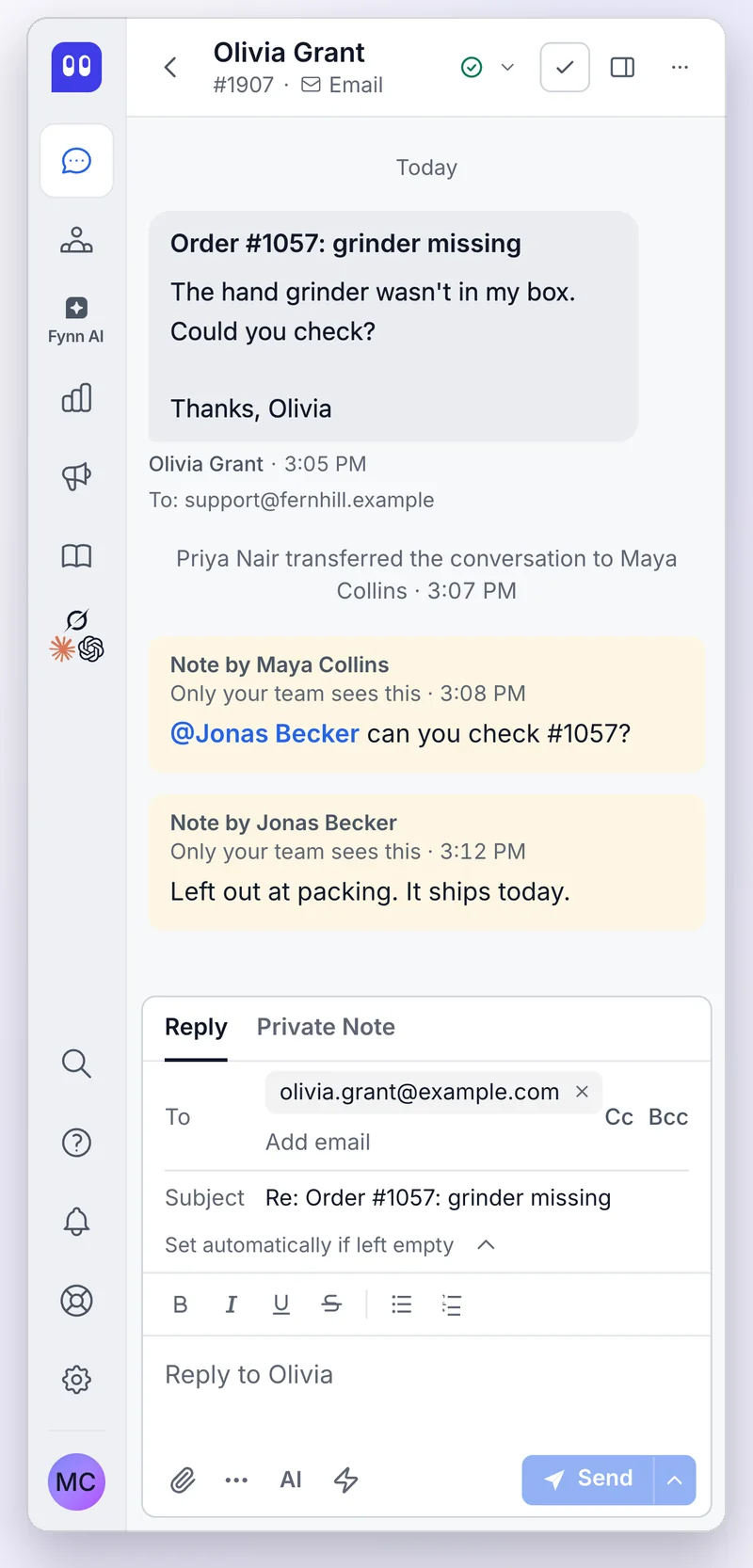
Every email becomes a conversation that one agent owns, with private notes for the team, and replies stay in the customer's thread.
The reply box opens only once the conversation is yours. If 2 people click at once, the first gets it and the other sees who took it.
Round robin is on in new inboxes and picks the online teammate with the fewest open and pending conversations.
Our pricing page lists these prices per agent a month:
- Startup: $4 ($3.20 annually), with 1,000 conversations a month
- Business: $8 ($6.40), with unlimited conversations and agent teams
- Enterprise: $12 ($9.60), with SLA policies and tickets
A team of 15 on Business pays $96 a month billed annually.
Copilot and Fynn, the AI agent, work from Startup up. A conversation counts once per window (72 hours for an email or a ticket, 12 quiet hours for a chat), however much AI it gets.
Startup includes 50 of them, Business 100 and Enterprise 300. After that, each one costs:
- Startup: $0.07
- Business: $0.05
- Enterprise: $0.03
So 500 emails answered by Fynn add $20 on Business.
Forwarding works on every plan, and the help center puts email setup at 2 to 5 minutes. From Startup, Outlook, Microsoft 365 or any IMAP mailbox connects directly, so replies go out from your own address.
The downsides, plainly:
- The free Hacker plan has 1 agent and forwarding only, so replies come from a mail.deskwoot.com address with your sender name.
- Startup stops at 1,000 conversations a month, agent teams need Business and SLAs need Enterprise.
- The first mailbox sync brings only the last 30 days.
- A direct Gmail connection needs an app password, and there is no POP.
The next step is one test with your own email: forward support@ and invite your team. You get 7 days of Enterprise free, no card, up to 30 seats including yours.
Front
Front is built for teams that work on email together all day. Its plan table lists shared drafts, internal comments, message templates, snoozing and guest accounts that let a colleague comment without a paid seat.
Per seat a month, according to Front's pricing page, checked October 28, 2026:
- Starter: $25 billed annually ($35 monthly), up to 10 seats, one channel type such as email or SMS, 10 automation rules
- Professional: $65 ($85 monthly), up to 50 seats, email, SMS, social and WhatsApp together, 20 automation rules
- Enterprise: $105, annual only
Native WhatsApp costs Meta's fees plus a 20% admin fee. Copilot is $20 a seat a month on Starter and Professional and included on Enterprise. Autopilot, Front's AI agent, starts at $0.05 per conversation.
The 14 day trial includes Professional features and needs no card.
The catch is seat 11: 10 agents on Starter cost $250 a month, and 11 on Professional cost $715.
Pick Front if your support is mostly email, the collaboration features matter, and Professional fits the budget once you grow.
Help Scout
Help Scout keeps the feel of email and includes a help center (a Docs site) on every plan, the free one too.
Per user a month billed annually, according to Help Scout's pricing page, checked October 28, 2026:
- Free: 5 users, 1 inbox and 100 contacts a month, where a contact is anyone who got a reply or an AI answer, counted once
- Standard: $25, up to 25 users and 2 inboxes (extra inboxes $10 a month each on annual billing), adds live chat, SMS, WhatsApp, Instagram and Messenger
- Plus: $45, up to 50 users, 5 inboxes, round robin and unlimited AI drafts
- Pro: $75, with a minimum of 10 users
The AI agent (listed as Envoy and AI Answers) costs $0.75 per resolution, once per conversation, with a monthly spending cap and 3 free months from signup. The trial lasts 15 days without a card.
Plan for 2 things:
- round robin starts on Plus, so 10 agents with round robin cost $450 a month instead of $250
- user 26 moves you to Plus
Pick Help Scout if email plus a help center covers most of your support.
Hiver
Hiver sells 2 products at the same prices. Hiver in Gmail runs inside Gmail, so agents keep the inbox they know.
Hiver Omni is a separate app that works with Gmail, Outlook and other providers. Its pricing FAQ says it brings email, live chat, Slack, voice, WhatsApp and social into one workspace, with more channels on higher plans.
Per user a month, according to Hiver's pricing page, checked October 28, 2026:
- Growth: $25 billed annually ($35 monthly), up to 10 users, 2 shared inboxes and 1 "send from" alias per shared inbox
- Pro: $55 ($65 monthly), unlimited users, 5 shared inboxes, SLAs and CSAT surveys
- Elite: $85 ($95 monthly)
- Voice: $30 per voice seat a month, with 1,000 pooled minutes per seat
Seats come in steps of 2, 5 and then multiples of 5, so a team of 11 pays for 15 seats on Pro: $825 a month.
The page lists AI agents and Copilot on every plan with no AI price or unit, so ask before you sign. The trial gives you Elite for 7 days without a card.
Pick Hiver if your team lives in Gmail and you want a shared inbox without a new app to learn.
Missive
Missive is an email client built for teams. Each person sees their own email and the shared accounts in one app, and can comment, assign or draft together on any conversation.
It connects Gmail, Outlook and IMAP mailboxes, SMS through Twilio, Quo or Dialpad, WhatsApp, Messenger and Instagram.
Per user a month, according to Missive's pricing page, checked October 28, 2026:
- Starter: $14 billed yearly ($18 monthly), up to 5 users
- Productive: $24 ($30 monthly), up to 50 users, where rules, integrations and API access start
- Business: $36 ($45 monthly), no user cap
Each user can connect 5 shared accounts, and more can be bought.
AI runs on Missive credits or your own key from Anthropic, OpenAI or Gemini, with no credit price on the page. New teams get 30 days of Productive without a card.
The pricing page lists no chat widget for your website.
Pick Missive if your team wants email, texts and WhatsApp in one client and rarely needs ticket style workflows.
Gmelius
Gmelius turns Gmail into a shared inbox without a separate app. A user is a Google or Google Workspace account, and the pricing page doesn't mention Outlook.
Per user a month, according to the Gmelius pricing page, checked October 28, 2026:
- Meli: $19, with no shared inboxes
- Growth: $25 billed annually ($33 monthly), up to 50 users, with unlimited shared inboxes, automation rules, automatic assignment and SLA and email analytics
- Pro: $40 ($50 monthly), no user cap
Growth caps usage at 10,000 email conversations (Gmail threads) and 10,000 rule executions a month. Everyone has to be on the same plan.
AI work comes with the seat, and the page shows no separate AI price, only the usage caps above. The trial gives you Growth for 7 days.
The page lists no chat, WhatsApp or SMS channel.
Pick Gmelius if you run on Google Workspace, support is email only, and agents should never leave Gmail.
Helpwise
Helpwise covers email, chat and messaging apps at low seat prices, with channel and inbox limits tied to each plan.
Per user a month, according to Helpwise's pricing page, checked October 28, 2026:
- Standard: $12 billed annually ($15 monthly), 2 to 10 users, 3 shared inboxes, 15 saved replies, and email, live chat and Facebook
- Premium: $23 ($29 monthly), 10 shared inboxes, 25 automation rules, AI Assist and Summarize, and WhatsApp, SMS, calling and Instagram
- Advanced: $39 ($49 monthly) from 3 users, with 30 shared inboxes and SLA rules
- Extras: 3 more inboxes for $49 a month, a chatbot for $10 a user a month
The page shows no AI price, and every plan has a 7 day trial without a card.
15 saved replies on Standard is a low ceiling for a support team.
Pick Helpwise if you are 10 people or fewer, want email and chat now and WhatsApp later, and price matters more than depth.
Freshdesk
Freshdesk is a help desk first, with tickets, a customer portal and a knowledge base, and a shared inbox included. Its Growth plan is built around email.
According to Freshdesk's pricing page, checked October 28, 2026, Growth costs $19 an agent a month billed annually, Pro $55 and Enterprise $89.
The page has a monthly toggle with 20% off for annual but only writes out annual prices. It lists no free plan, and the trial gives you Enterprise for 14 days.
Day passes for occasional agents cost $2, $7 or $12 a day depending on the plan.
The AI bill needs a careful read. Each account gets 500 free Freddy AI Agent sessions once, then pays $49 per 100.
An email session is a 72 hour window from the customer's first email, and all AI replies inside it count once. Copilot is $29 an agent a month on Pro and Enterprise.
Pick Freshdesk if you need ticket fields, SLA policies and a portal more than a light shared inbox.
Cost at 5, 15 and 30 agents
Seat price times team size, per month, billed annually, on the cheapest plan each vendor sells for that team size with a shared inbox. Taxes, paid extras and AI usage are left out.
| Tool | 5 agents | 15 agents | 30 agents |
|---|---|---|---|
| Deskwoot | $16 (Startup), $32 (Business) | $48 (Startup), $96 (Business) | $96 (Startup), $192 (Business) |
| Front | $125 (Starter) | $975 (Professional) | $1,950 (Professional) |
| Help Scout | $125 (Standard) | $375 (Standard) | $1,350 (Plus) |
| Hiver | $125 (Growth) | $825 (Pro) | $1,650 (Pro) |
| Missive | $70 (Starter) | $360 (Productive) | $720 (Productive) |
| Gmelius | $125 (Growth) | $375 (Growth) | $750 (Growth) |
| Helpwise | $60 (Standard) | $345 (Premium) | $690 (Premium) |
| Freshdesk | $95 (Growth) | $285 (Growth) | $570 (Growth) |
Read the cheap cells with their limits:
- Deskwoot Startup stops at 1,000 new conversations a month, so a busier team of 15 or 30 needs Business.
- Front Starter is one channel type.
- Help Scout Standard has no round robin.
- Missive Starter has no rules.
- Helpwise Standard has 3 shared inboxes and no WhatsApp.
Help Scout Free also fits 5 users under 100 contacts a month.
Top plan against top plan
Each tool's top plan, per agent a month billed annually, and the seats for 15 agents before AI:
| Tool and top plan | Per agent | 15 agents |
|---|---|---|
| Deskwoot Enterprise | $9.60 | $144 |
| Front Enterprise | $105 | $1,575 |
| Help Scout Pro | $75 | $1,125 |
| Hiver Elite | $85 | $1,275 |
| Missive Business | $36 | $540 |
| Gmelius Pro | $40 | $600 |
| Helpwise Advanced | $39 | $585 |
| Freshdesk Enterprise | $89 | $1,335 |
Deskwoot Enterprise includes 300 AI conversations a month, SLA policies and tickets.
With an AI agent answering 500 emails a month (prices in the next section), the top plan bill for 15 agents comes to:
- Deskwoot Enterprise: $150 ($144 plus $6 for AI)
- Gmelius Pro: $600, with AI inside the seat price
- Help Scout Pro: up to $1,500 ($1,125 plus up to $375)
- Freshdesk Enterprise: $1,580 ($1,335 plus $245)
- Front Enterprise: from $1,600 ($1,575 with Copilot included, plus Autopilot from $25)
- Hiver Elite ($1,275), Missive Business ($540) and Helpwise Advanced ($585): no AI price shown
The AI agent is a separate line
For 500 emails a month answered by each vendor's AI agent:
- Deskwoot: $31.50 on Startup (450 beyond the 50 included), $20 on Business and $6 on Enterprise; Copilot use counts against the same allowance
- Front: from $25
- Freshdesk: $245 once the 500 free sessions are used
- Help Scout: up to $375 after the free months, since only resolutions count
- Hiver, Missive, Gmelius and Helpwise: no AI price shown
The full bill for 15 agents
Put together for 15 agents and 500 emails answered by AI:
- Deskwoot Business: $116 (Startup would be $79.50 while you stay under 1,000 conversations a month)
- Gmelius Growth: $375, with AI inside the seat price
- Freshdesk Growth: $530
- Help Scout Standard: up to $750, without round robin
- Front Professional: from $1,000
Hiver Pro ($825), Missive Productive ($360) and Helpwise Premium ($345) show no price for AI that answers email, so ask what 500 AI answers would add.
5 things that break past 10 people
1. Seat caps force a plan change
Front Starter, Hiver Growth and Helpwise Standard stop at 10 users, Missive Starter at 5 and Help Scout Standard at 25.
Crossing the line moves the whole team to the next price, and on Hiver it also rounds you up to the next step of 30 seats. Price the plan for the headcount you expect at your next renewal.
2. Assignment stops being optional
With 3 people, someone says "I've got it" in Slack. With 12, you need one owner per email, new email handed out in turn and a cap per agent so nobody gets buried.
Check which plan includes it: Help Scout puts round robin on Plus, Gmelius puts automatic assignment on Growth. Ask whether the tool shows that a teammate is already replying; Helpwise and Gmelius list collision detection.
3. Inboxes and sender addresses run out
Support@ becomes support@, billing@ and a second brand or country address sooner than planned.
Hiver Growth includes 2 shared inboxes with 1 sender alias each, Help Scout Standard 2 inboxes, Helpwise Standard 3. Count the addresses you will need in a year and price those, extras included.
4. AI comes in 5 different units
- Per seat: Front and Freshdesk Copilot
- Per conversation: Front Autopilot
- Per resolution: Help Scout
- Per 72 hour session: Freshdesk, $0.49 each in packs of 100
- Inside the seat with usage caps: Gmelius
Ask every vendor 4 questions:
- What counts as one unit?
- How many are included?
- Can you set a spending cap?
- What happens when the included amount runs out?
5. Customers move off email
Sooner or later customers want live chat on the site or start writing on WhatsApp. The tool you picked for email may then need a higher plan or a second product.
- Front Starter allows one channel type.
- Helpwise adds WhatsApp on Premium.
- Hiver's extra channels sit in Hiver Omni.
- Gmelius lists no channel beyond Gmail.
If more channels are likely within a year, compare the plan you will need then.
Moving from Gmail or Outlook in one day
1. Choose how email gets in
Forwarding works with any provider and changes nothing in your mailbox.
A direct connection (IMAP, or a Google or Microsoft sign in) reads the mailbox and usually sends replies from your own address. Check which one your plan includes.
2. Forward from Gmail
In Gmail, go to Settings, See all settings, Forwarding and POP/IMAP, then add the new address. Google sends a verification link there, so it lands in the new tool. Keep Gmail's copy in the inbox, as Google recommends.
If support@ is an alias on someone's own account, forward with a filter on that address so personal mail stays put. Forwarding only passes on new mail.
3. Forward from Microsoft 365, or find out why it bounces
In 2021 Microsoft turned automatic forwarding to outside addresses off by default for new organizations and for existing ones that weren't actively using it. A blocked email comes back with "5.7.520 Access denied".
An admin can allow it in the outbound spam policy, or only toward chosen domains with remote domains (Microsoft's guide).
Microsoft says a shared mailbox is not meant for direct sign in and its sign in should stay blocked. So ask each vendor how it connects one before you count on a direct connection.
4. Decide what old email you need
Mail you don't bring over stays in Gmail or Outlook as your archive.
5. Set up the basics before the team starts
Set up automatic assignment, saved replies for your 10 to 20 most common answers, signatures, sender name and business hours.
Send test emails from a personal address, reply from the tool, and check the thread on the customer's side.
6. Switch the team
From today nobody replies from Gmail or Outlook. Keep the old mailbox receiving copies for a week, then remove the old shared access.
Before your renewal date
Whichever tools make your shortlist, test them on real email before your current tool or contract renews. Forward support@, keep the copy in Gmail or Outlook, and count double replies and unanswered emails for a week.
If Deskwoot is on the list, the next step is to forward your support@ address to it and try it with the team: 7 days of Enterprise free, no card, up to 30 seats including yours.
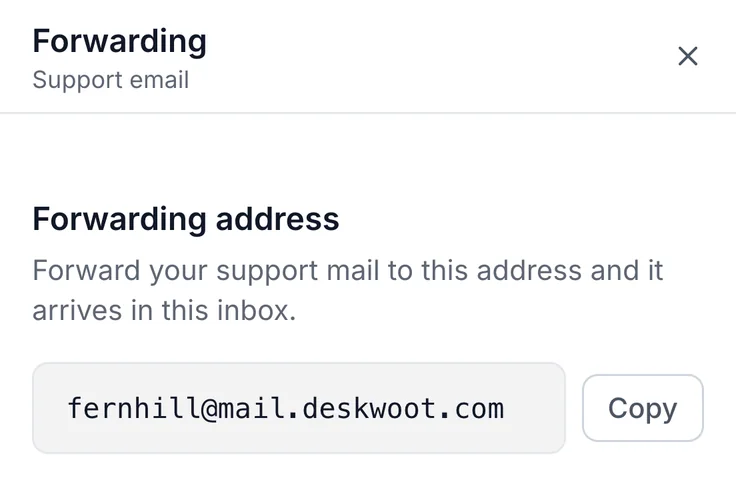
If it isn't a fit, turn the forwarding off; your mailbox kept every email. After the 7 days you pick a plan or stay on the free Hacker plan.
Also available in:DeutschEspañolFrançaisPortuguês (Brasil)