Best Live Chat Platforms With One-Line Widget Installation (2026 Compared)
Deskwoot Team
6 min read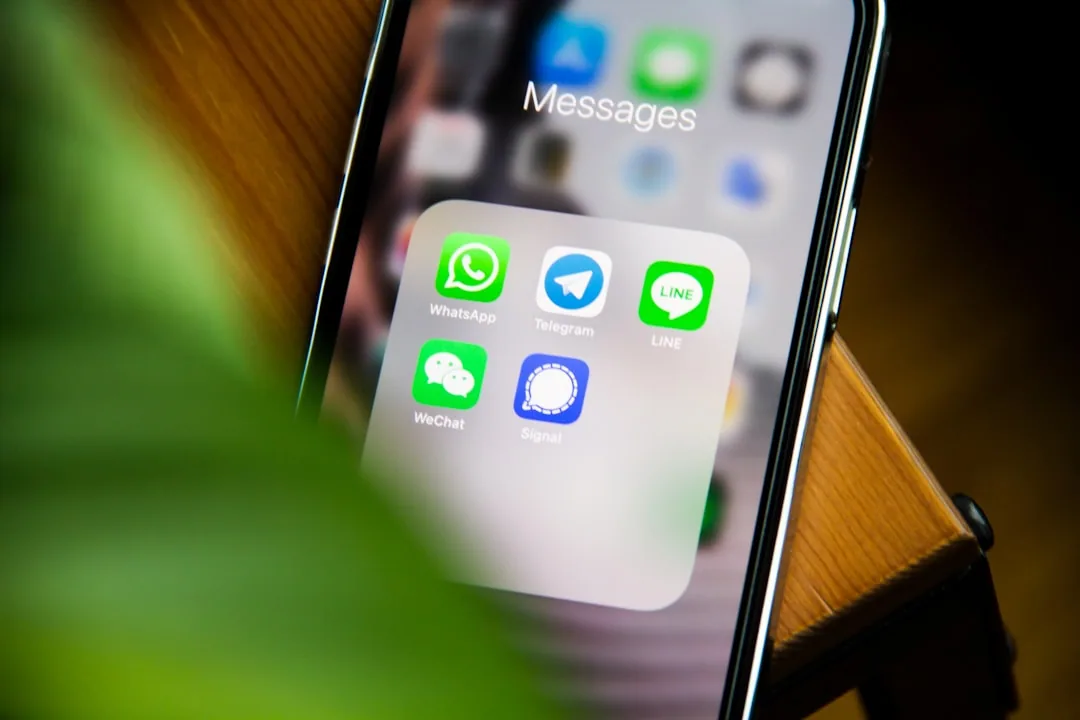
Contents
- The best live chat platforms with one-line widget installation in 2026 are Deskwoot, Intercom, Tidio, Crisp, and LiveChat: each lets you embed a fully customizable widget by pasting one line of JavaScript into your site, with no developer setup.
- How One-Line Chat Widget Installation Works
- Top Live Chat Platforms With One-Line Widget Embed (2026 Compared)
- Live Chat Widget Pricing Comparison Table (2026)
- What should you look for in a live chat widget?
- How to Choose the Right Platform for Your Business
- Final Verdict
The best live chat platforms with one-line widget installation in 2026 are Deskwoot, Intercom, Tidio, Crisp, and LiveChat: each lets you embed a fully customizable widget by pasting one line of JavaScript into your site, with no developer setup.
Almost every modern live chat platform lets you add a fully customizable live chat to your website by pasting a single JavaScript snippet into your HTML. No complex setup, no developer needed. A 2024 HubSpot survey found 82% of consumers expect an immediate response to sales or support questions, making live chat one of the highest-impact tools you can add to your site. Setup takes under five minutes.
But not all live chat widgets are equal. They differ in pricing, customization depth, AI capabilities, and channel coverage. Below is a live chat platform comparison of the platforms offering true one-line installation.
How One-Line Chat Widget Installation Works
Regardless of platform, the process is the same:
- Sign up and configure widget appearance (colors, position, greetings) in the dashboard.
- Copy the generated JavaScript snippet from the installation page.
- Paste it into your HTML, just before the closing
</body>tag.
That one line of JavaScript loads the widget asynchronously, so it won't slow down your page. Most vendors also ship native Shopify integration plus a one-line embed snippet that drops into WordPress, Wix, Squarespace, Webflow, or any HTML page.
Top Live Chat Platforms With One-Line Widget Embed (2026 Compared)
1. Deskwoot
Deskwoot is an AI-powered customer support platform based in Dubai with a fully customizable live chat widget and one-line JavaScript installation. It combines affordability with feature depth: custom colors, positioning, branding, plus a true omnichannel inbox spanning email, live chat, WhatsApp, Telegram, LINE, SMS, X DMs, and a REST API. Its Claude-powered AI chatbot comes with 50 to 300 AI conversations a month from the Startup plan, and each extra conversation costs $0.03 to $0.07, up to 33x cheaper than Intercom's Fin at $0.99 per resolution.
As a Zendesk alternative, Deskwoot costs up to 80% less while offering comparable features. Versus Zendesk Suite Professional ($115/agent), Deskwoot starts at $3.20/agent/month (billed annually) with unlimited contacts. It also ships AI Copilot for agents, a built-in multilingual help center, automation rules, SLA policies (Enterprise), and native Shopify and WooCommerce integrations.
- Price: Free tier; paid plans $3.20 to $9.60/agent/month (billed annually)
- Best for: Teams of any size wanting omnichannel support with AI at an affordable price
- Channels: Email, Live Chat, WhatsApp, Telegram, LINE, SMS, X DMs, API
2. tawk.to
tawk.to is the most popular free live chat tool. Paste the snippet, the widget appears instantly. Customize position, color themes, content headers, and pre-chat forms. Free for unlimited agents. Tradeoff: AI chatbots and detailed analytics are limited or paid add-ons.
- Price: Free (paid add-ons available)
- Best for: Small businesses needing basic live chat at zero cost
- Limitations: No built-in AI chatbot, limited automation
3. Tidio
Tidio combines live chat with chatbot automation behind a clean one line code chat widget. Native integrations for Shopify, Wix, and WordPress. Customize colors, welcome messages, and placement. Includes a visual chatbot builder for no-code automation.
- Price: Free tier; paid from $29/month
- Best for: Small e-commerce stores wanting chat plus simple bot flows
- Limitations: AI features locked behind higher tiers; pricing scales fast with operators
4. LiveChat
LiveChat is well-established with a polished UI and extensive customization. Paste a snippet into <body> and the widget loads with your brand colors, logos, and greetings. Supports rich messages, file sharing, and chat ratings. Forrester research shows proactive live chat delivers 105% ROI, and LiveChat's targeting rules make proactive engagement straightforward.
- Price: $20,$69/agent/month
- Best for: Mid-size teams prioritizing a polished chat experience
- Limitations: No built-in help desk or email channel; chatbot is a separate ChatBot product
5. HubSpot Live Chat
HubSpot offers a free live chat widget as part of its CRM. Single tracking snippet powers other HubSpot tools too. Customize welcome messages by visitor behavior, page URL, or contact properties. Every conversation auto-logs to the contact record.
- Price: Free with HubSpot CRM; Service Hub from $20/month
- Best for: Teams already on HubSpot
- Limitations: Advanced bot flows require paid Service Hub; widget customization more limited than dedicated tools
6. Olark
Olark focuses on simplicity. One line of JavaScript adds a lightweight widget. Customize theme colors, welcome text, and offline form behavior. Basic reporting; integrations with Salesforce and other CRMs.
- Price: From $29/agent/month
- Best for: Small teams wanting a no-frills tool
- Limitations: No omnichannel, no AI chatbot, limited features
7. Zendesk Chat
Formerly Zopim, Zendesk Chat deploys via a single snippet and integrates with the Zendesk suite. Supports triggers, pre-chat forms, and visitor tracking. To unlock meaningful functionality you need a full Zendesk Suite plan from $55,$115/agent/month.
- Price: Zendesk Suite $55,$115/agent/month
- Best for: Enterprises already in the Zendesk ecosystem
- Limitations: Expensive; widget design customization limited; complex pricing
8. Intercom
Intercom's Messenger is one of the most recognizable widgets on the web. Single-snippet install with deep customization of colors, logos, and conversation flows. Includes Fin AI chatbots and product tours. Powerful but premium at $99/seat/month.
- Price: From $99/seat/month
- Best for: SaaS companies with budget wanting chat, bots, and product engagement in one tool
- Limitations: High cost; usage-based AI charges
Live Chat Widget Pricing Comparison Table (2026)
How the platforms compare on entry-level and top-tier plans:
| Platform | Free Tier | Starting Price | Enterprise Price | AI Chatbot Included |
|---|---|---|---|---|
| tawk.to | Yes | Free | Free | No |
| Deskwoot | Yes | $3.20/agent/mo | $9.60/agent/mo | Yes (50 to 300 included, then $0.03 to $0.07/conversation) |
| Tidio | Yes | $29/mo | $59/mo | Limited |
| LiveChat | No | $20/agent/mo | $69/agent/mo | Separate product |
| HubSpot | Yes | $20/mo | $130/mo | Yes (paid plans) |
| Olark | No | $29/agent/mo | $29/agent/mo | No |
| Zendesk Chat | No | $55/agent/mo | $115/agent/mo | Yes (add-on) |
| Intercom | No | $99/seat/mo | Custom | Yes ($0.99/resolution) |
What should you look for in a live chat widget?
One-line installation is table stakes for the best live chat software 2026. Every serious platform ships it. The real differentiators come after the widget goes live:
- Customization depth: Match brand identity. Colors, logos, position, language?
- Omnichannel support: Unify live chat with email, WhatsApp, and social in one inbox?
- AI capabilities: Can the widget deflect common questions before routing to humans? Gartner predicts AI chatbots will handle 80% of customer service interactions by 2027.
- Scalable pricing: Reasonable cost as you scale from 2 to 20 agents?
- Knowledge base integration: Surface help articles automatically to cut ticket volume?
- Mobile responsiveness: Flawless on mobile, where 60%+ of web traffic originates?
How to Choose the Right Platform for Your Business
If budget is the primary constraint and you only need basic chat, tawk.to is hard to beat at zero cost. If you're already in the HubSpot ecosystem, their free chat integrates seamlessly with CRM data.
For teams wanting a full support platform with AI, omnichannel messaging, and a help center without the enterprise price tag, Deskwoot delivers the strongest value as both a Zendesk alternative and Intercom alternative. Starting at $3.20/agent/month, it's 87% cheaper than Intercom and 80% cheaper than Zendesk while covering more channels and including AI chat at a fraction of the per-conversation cost.
For enterprises locked into Zendesk or Intercom, switching can feel daunting, but Deskwoot ships direct migration tools from Zendesk, Freshdesk, and Intercom.
Final Verdict
Adding live chat with one line of code is easy on any of these platforms. The harder question: which scales with your business, keeps costs manageable, and delivers the AI experience modern customers expect. Evaluate channel needs, budget, and growth plans before committing. Most platforms offer free tiers or trials. Test the widget firsthand before deciding.

